
How I replaced $200/mo in AI subscriptions with a self-hosted chatbot running on free-tier infrastructure. 21 models, one interface, 90% cheaper.
I opened my credit card statement and counted five AI subscriptions. ChatGPT, Claude, Perplexity, Gemini, Grok plus coding plans from various open Chinese models. Fourteen to thirty dollars each, depending on which tier I'd convinced myself I needed that month. Nearly two hundred bucks gone before I'd even bought groceries. For what? Switching between browser tabs and copy-pasting context from one tool to another like some kind of digital courier pigeon. The rationalisation was always the same: "Different tools for different jobs." The reality was closer to: I was paying five companies to do roughly the same thing, badly, with extra steps.
The Subscription Trap
OpenAI wants you locked in. So does Anthropic, Google, and xAI. They make the free tier just good enough to hook you, then the usage cap forces an upgrade. You build prompt libraries. You train your team. You develop muscle memory for one interface. Then renewal day arrives and you're staring at a number that makes you wince - but starting over feels worse than paying up.
We watched this cycle play out with three of our clients at DataDab. Each one had three or four AI subscriptions across their marketing team. Different people preferred different tools. Context was rarely shared. The same research got done twice because teams didn't trust the other tool's output. The subscription costs were bad. The duplicated work was worse.
Five Subscriptions, One Brain
$20/mo
$20/mo
$20/mo
$20/mo
$30/mo
The data farming angle is what finally made me angry enough to act. Every prompt I typed into ChatGPT trained OpenAI's models. Every document I uploaded to Claude got ingested by Anthropic. Every search through Perplexity fed their corpus. I was paying these companies to build better products - products that would eventually make my subscription redundant. Like renovating your landlord's building so he can raise your rent.
"Just Pick One Tool" Is Terrible Advice
The standard advice is choose one AI and commit. That advice is wrong. GPT handles complex reasoning chains better than anything else. Claude writes long-form content with a nuance that is hard to match. Gemini understands images in ways that feel almost unfair. DeepSeek's coding models punch three weight classes above their price. Perplexity finds things on the web that the others miss entirely.
You don't need five subscriptions to access these models. You need one interface that connects to all of them. That's the piece that rarely gets mentioned.
LibreChat Changed the Game
Found LibreChat at two in the morning while doom-scrolling GitHub. Forty-two thousand stars. Active development. Docker support. A configuration system that wires up any OpenAI-compatible API endpoint. Fifteen minutes later I had a Docker container running with a few models pointed at it.
Fifteen minutes gets you a toy. What I wanted was something that could actually replace those five subscriptions - document analysis, web search, voice, image generation, tool integrations. That's where the real work started. That's where Alfred was born.
What Alfred Actually Runs On
Alfred lives on Google Cloud Run, Google's serverless container platform. Scale to zero when idle, spin up in seconds when I send a message. The core is LibreChat, but the config is heavily modified.
Alfred's Stack
The Brain: OpenCode Go gives access to 21 models across two API dialects - OpenAI-compatible and Anthropic-compatible. DeepSeek V4 Flash, Kimi K2.6, GLM-5, Qwen 3.7 Plus, Grok 4.5, and a dozen more. Monthly cost: zero on the free tier for personal use.
The Storage: MongoDB Atlas on the free M0 tier handles conversations, preferences, and agent configs. Conversations survive container restarts. The vector index for document search lives in the same cluster.
The Search: My own SearXNG instance. No per-query fees. No rate limits. Complete control over sources.
The Documents: Meilisearch powers document search and retrieval. Drop a PDF or markdown file into a conversation and Alfred indexes it. Every follow-up message queries the document and answers with citations.
The Voice: Cloudflare Workers handle speech-to-text via Whisper and text-to-speech via Fish Audio. Both run on Cloudflare's free tier.
The Integrations: Composio manages MCP connections to Google Workspace, HubSpot, GitHub, Notion, Slack, and Asana. Per-user OAuth means each conversation accesses the right tools without exposing credentials.
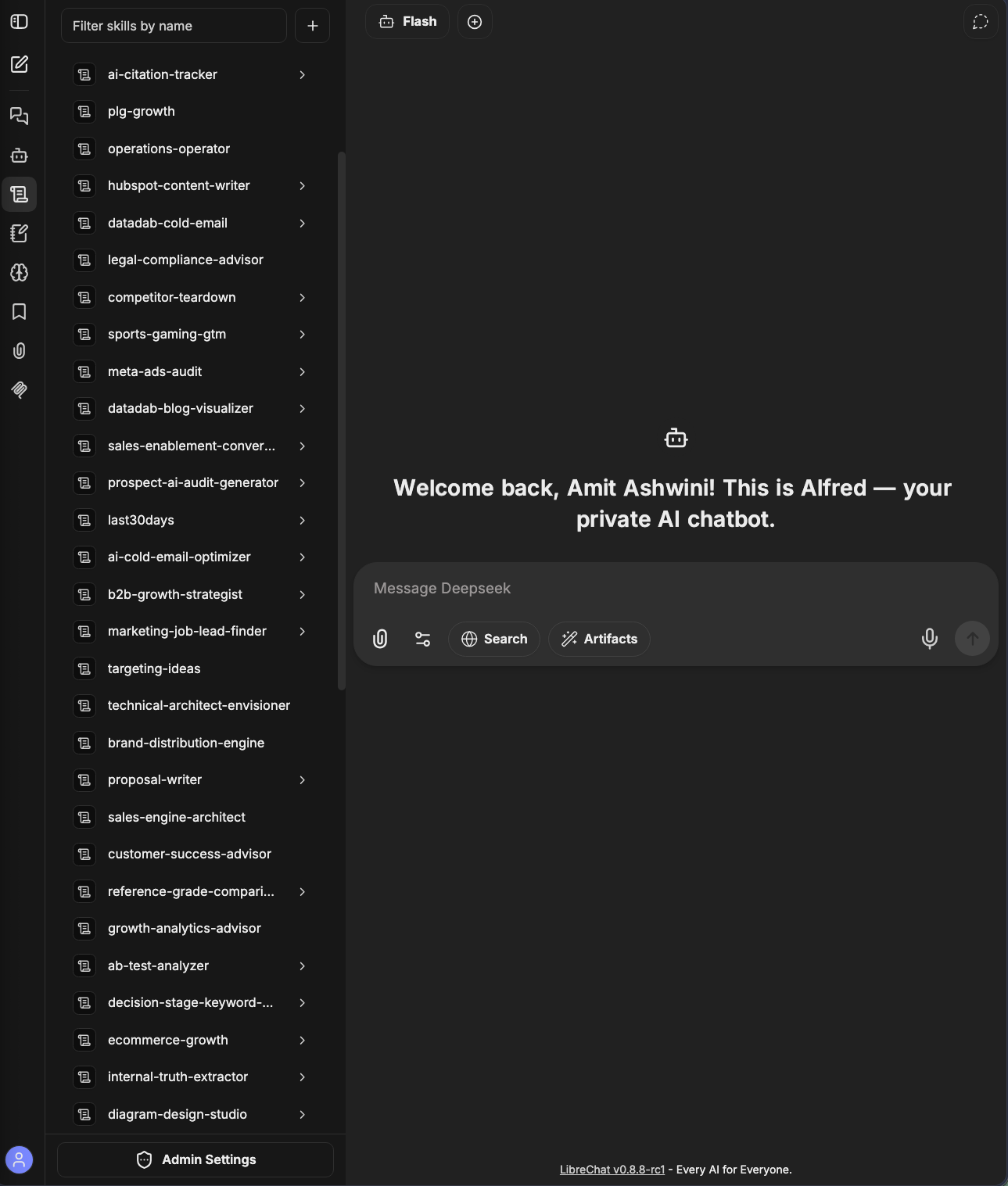
The Skills: 57 deployment skills baked into the container image - growth, GTM, content, and marketing workflows Alfred can reference during conversations.
The Math That Makes It Work
90% Cost Reduction
That's a 90% reduction. But the real savings aren't financial. Before Alfred I had five different prompt strategies, five file upload workflows, five conversation histories to search. Now I have one. I start a conversation with Claude, switch to DeepSeek for code, finish with Gemini for images - same thread, same context.
Self-Hosted Doesn't Mean "Server in My Closet"
I'm not running a Raspberry Pi under my desk. Cloud Run handles the infrastructure - container orchestration, auto-scaling, load balancing, SSL. When it's idle, it scales to zero. When I send a message, it spins up a container, processes the request, then shuts down. I pay for compute time, not uptime.
The data is mine though. Conversations live in MongoDB Atlas, which I control. Documents are indexed in Meilisearch, which I host. API keys sit in environment variables, not third-party dashboards. Delete a conversation and it's gone - not archived in some corporate training pipeline.
The Patches, Workers, and Pipeline That Make It Actually Work
LibreChat is a brilliant open-source project. It's also a consumer product with consumer assumptions. Turning it into a production assistant for serious work meant eight custom patches, three Cloudflare Workers, a deployment pipeline, and a deep understanding of how the codebase actually handles custom endpoints.
I covered the why and the architecture so far.
This is the how - the actual engineering. The patches that fix LibreChat's assumptions about how you upload files, the workers that handle search and voice, the deployment pipeline that makes Cloud Run work without surprises. If you're building your own self-hosted AI stack, this is the bit that matters.
The Custom Endpoint Problem That Started Everything
LibreChat supports custom endpoints. That's how you wire up non-OpenAI providers like OpenCode Go. But the code makes assumptions. Specifically, it assumes that if you're using a custom endpoint, you're also uploading documents directly to that endpoint. The UI offers "Upload to Provider" as the default attach option.
That's fine if your custom endpoint is an OpenAI-compatible API that accepts raw {type: "file"} content parts. It's not fine if your custom endpoint is a gateway that only accepts text.
My gateway - OpenCode Go - returns a 400: unknown variant file, expected text error when LibreChat sends a raw file attachment. The fix was obvious: route all document uploads through RAG instead. LibreChat's file search pipeline extracts text, embeds it into vectors, and sends text to the model. The gateway happily accepts text.
File Upload Routing
{type:'file'}& embeds vectors
The tricky bit is that LibreChat's client bundle is hashed. The minified JavaScript lives in index.<hash>.js. When you patch the bundle, the hash no longer matches the content, so browsers and the Workbox service worker keep serving the old, unpatched version. The script renames the bundle to index.<hash>.patched.js and rewrites index.html and sw.js to reference the new filename. Without this rename, you'd deploy the patch and nothing would change - the service worker would keep serving the cached original.
That was patch one. There were seven more.
Four More Patches Just for File Uploads
Images are a special case. LibreChat's file search pipeline blocks images entirely - the processAgentFileUpload function throws an error before images reach the storage layer. But the code downstream already handles images correctly: dual-storage to R2, dimension extraction, message attachment creation. The early throw was an unnecessary guard.
Patch two (patch-allow-image-upload.py) removes that guard. Images now flow through the normal storage path. The vector embedding step silently fails for images - the rag_api returns a 400 error because it can't embed binary data - but the image is still stored in R2 and accessible as a message attachment. Vision models see it fine through the message content.
Patch three (patch-vector-embed-tolerant.py) makes that embedding failure non-fatal. Without it, a failed embedding attempt throws an error that propagates up to me, even though the image was successfully stored. The script wraps the uploadVectors call in a try-catch that lets images pass through with embedded=false while still failing hard for documents. If a PDF fails to embed, that's a real problem. If an image fails to embed, that's expected behaviour.
Patch four (patch-image-dimensions.py) preserves image dimensions through the upload pipeline. The processAgentFileUpload function takes height and width from the generic storage upload result - which has no dimensions - instead of the processImageFile result - which has them. The saved file record ends up with no height or width. Then encodeAndFormat skips dimensionless files (if (!file.height)), so the model never receives an image content part and reports it cannot see attached images.
The script captures dimensions from the processImageFile result and injects them into the storage result before the record is saved. It's a surgical fix - three lines of code - but it took two hours of reading minified JavaScript to find the right insertion point.
Four patches just to make file uploads work correctly. This is the reality of self-hosting consumer software for production use.
The Meilisearch Latency Problem
LibreChat's Meilisearch integration uses Mongoose post-hooks that await an HTTP round-trip on every conversation save, update, or delete. The hook retries up to three times with exponential backoff (2 seconds, 4 seconds, 8 seconds). My Meilisearch instance sits on a US-region VPS. LibreChat runs in asia-south1 on Google Cloud Run. Every chat turn added half a second to a second and a half of latency just for the search index sync.
Meilisearch Sync
Patch five (patch-meili-sync.py) rewrites the four hook registrations to fire-and-forget. The script finds the Mongoose post('save') and post('update') hooks, rewrites them to call next() synchronously, and defers the index sync to a detached setTimeout. Conversation saves are now synchronous. The search index updates milliseconds later, which is fine for a personal assistant with no concurrent users.
The script runs during the Docker build, patching the compiled @librechat/data-schemas bundle at /app/packages/data-schemas/dist/index.cjs. It fails loudly if the bundle layout changes on a LibreChat upgrade - which it will, eventually. That's the maintenance burden of patching compiled JavaScript.
The TTS Problem
Cloudflare's Fish Audio TTS endpoint defaults to raw PCM output. LibreChat's TTS implementation expects audio/mpeg. The browser tries to play raw PCM as MP3 and gets silence.
Patch six (patch-tts-openrouter.py) fixes this by adding response_format: "audio" to the TTS request body. It also filters out THINK parts from the response, so the TTS speaks only the final answer, not the reasoning chain. Nobody wants to hear "Let me think about this step by step" read aloud in a synthetic voice.
The script patches two files: the client bundle (for the response_format parameter) and the server-side audio handler (for the THINK filter). It also patches the data provider to handle the OpenRouter-specific response format.
The Deployment Pipeline
Deploying to Cloud Run took longer than it should have. The deploy-cloudrun.sh script handles everything now: set the gcloud project, enable APIs, create the Artifact Registry repository, build via Cloud Build, deploy with scale-to-zero, prune old images.
deploy-cloudrun.sh
git checkout <prev> && ./scripts/deploy-cloudrun.sh
The script does pre-flight checks before touching anything. It validates that all required environment variables are set. It checks for partial Composio config (all three vars or none - a partial set breaks MCP). It checks for partial search gateway config. It validates that the YAML parses correctly before burning ten minutes on a Cloud Build.
The image is 837 megabytes compressed. That exceeds Cloud Run's free tier by 325 megabytes - about three cents a month. Accepted trade-off. The prune step keeps exactly one digest and deletes every other, including their tags. An enforced cleanup policy backstops the prune for out-of-band builds.
The deploy script also handles traffic routing. Cloud Run sometimes leaves traffic on the previous revision even after a successful deploy creates a new revision. The script waits for the new revision to become Ready, then forces 100% traffic onto it. Without this, you'd deploy successfully and still see the old version for up to fifteen minutes.
Rollback is git checkout <previous-commit> plus re-run the deploy script. Five to ten minutes to rebuild. Covered by Cloud Build's free tier. No stored rollback image needed.
The keepalive script was the final piece. Cloud Run scales to zero when idle. That means cold starts - thirty to sixty seconds on first load. The keepalive script creates Cloud Scheduler jobs that ping /health every ten minutes. Under request-based billing, an idle warm instance costs nothing. The app stays warm around the clock. First load drops to under a second.
Three Cloudflare Workers
The peripheral functionality that LibreChat doesn't natively support lives in Cloudflare Workers.
Three Cloudflare Workers
The Search Gateway (workers/search-gateway) routes web search queries through a provider queue. you.com's free tier handles the first 100 requests per day. When that exhausts, the gateway falls back to Tavily's free tier - a thousand credits per month. The worker is stateless - it just forwards requests and manages the provider chain. It runs on Cloudflare's free tier, which covers personal use without question.
The gateway returns a custom X-Search-Provider header so you can see which provider actually handled the request. When both providers fail - you.com hits the daily cap and Tavily runs out of credits - the gateway returns a clear error instead of silently falling back to nothing.
The TTS Worker (workers/tts) wraps Cloudflare's Whisper API for speech-to-text. Audio in, text out. Trivial - just an HTTP proxy with authentication. But it runs on Cloudflare's edge, which means low latency regardless of where I am.
The Image Generation Worker (workers/image-gen) routes requests through multiple providers. Pollinations for Flux models, Stability AI for SD3.5, and a few others. The worker exposes both an OpenAI-compatible API endpoint and an MCP server, so images generate from any conversation or through an agent. Provider routing happens by model prefix - pollinations/flux routes to Pollinations, stability/sd3.5-large routes to Stability AI.
All three run on Cloudflare's free tier. Zero monthly cost for the workers themselves.
Composio MCP
The Composio Layer
Composio manages the tool integrations. Two MCP servers sit behind it - both using Streamable HTTP transport.
growth-intelligence provides read-only access to Google Workspace, HubSpot, GitHub, Notion, Slack, and Asana through per-user OAuth. Each conversation can query calendars, read emails, check repository status, and pull data from the tools without exposing credentials. The {{LIBRECHAT_USER_ID}} placeholder in each URL gets substituted at runtime, giving every user their own Composio OAuth session.
execution-operator creates GitHub issues or Asana tasks after explicit user instruction. No other writes. The workspace is locked to the administrator account. The server instructions are deliberately conservative - before calling any create tool, the agent must present the complete final draft and wait for explicit approval. A vague "looks good" is not sufficient. Each write needs its own fresh approval in the same turn.
Both servers are agent-only (chatMenu: false), owner-initiated (startup: false), and the workspace is locked to the administrator account. No shared agents, no team access, no accidental writes. The security model is deliberately conservative.
The MCP settings block includes an allowedDomains whitelist that mirrors the hostnames of the configured servers. All other external or private destinations are blocked by the default SSRF policy. This prevents prompt injection from steering the agent to arbitrary URLs.
The Model Configuration
LibreChat's model selector uses modelSpecs to group models by capability. The Go gateway doesn't report context windows or pricing, so I had to verify each model's capabilities empirically against the live gateway and hardcode the numbers.
Capability Groups
Vision support was tested with a base64-encoded image: kimi-k3, kimi-k2.7-code, kimi-k2.6, kimi-k2.5, and mimo-v2.5 all describe images correctly. NOT vision-capable at the gateway: gpt-5.6-luna (silent 400 error), glm-5.2/5.1/5 (model says no multimodal input), deepseek-v4-* (400 unknown variant).
The model specs group models into Chat, Vision, Reasoning, and Coding. Models can appear in multiple groups - kimi-k3 shows up in both Vision and Reasoning. File analysis is NOT a model capability here: RAG works with every Go model, so any model handles attached documents through File Search.
The OpenRouter Free endpoint includes 13 models that cost nothing - NVIDIA Nemotron variants, Poolside Laguna, Cohere North Mini Code, Liquid LFM. These are useful for light tasks where you don't need the full capability of the Go models.
The Gemini endpoint points directly at Google's OpenAI-compatible gateway using my Google AI Studio key. The models run on the my per-account quota instead of OpenRouter's congested shared free pool, which returns upstream 429 errors during peak hours.
The Deployment Skills
57 Deployment Skills
57 deployment skills are baked into the container image at /app/skill. These are curated growth, GTM, content, and marketing workflows that Alfred references during conversations. The skills are loaded from the filesystem at startup, so edits require a container restart - Cloud Run handles that automatically on redeploy.
The Dockerfile copies the skills directory with --chown=node:node and runs chmod -R a+rX /app/skill. Without the ownership and permissions fix, LibreChat silently loads zero skills - the base image runs as the node user, and the host skill files default to 0600/0700. The failure is silent. No error message. Just an empty skills catalog.
The Trade-offs
Self-hosting costs time. Every patch is a maintenance burden. When LibreChat updates, the minified JavaScript patterns might shift, and patches break. The patch-file-attach.py script fails loudly if the pattern moves - which is intentional. Better to fail at build time than silently lose the fix and discover it three conversations later when you try to upload a document.
Documentation is sparse for custom configurations. I spent hours reading LibreChat's source code to understand how file uploads work, how the Meilisearch integration is wired, and where the TTS pipeline expects specific response formats. Community help exists but scatters across GitHub issues and Discord channels. You're on your own for the deep integrations.
MongoDB Atlas's free tier has 512 megabytes of storage. Plenty for conversations. Tight for large document sets with vector embeddings. You'll hit the limit eventually and need to upgrade.
The keepalive script creates Cloud Scheduler jobs that ping /health every ten minutes. Under request-based billing, an idle warm instance is not billed. But it does consume one of Cloud Scheduler's three free jobs. If you need the other two for legitimate workloads, you'll need to find a different keepalive strategy.
The Numbers After Six Months
Nine hundred dollars saved in subscription costs. Ten to fifteen dollars a month in infrastructure. Forty hours of initial development time - a one-time investment that pays for itself every month.
Six Months Later
More importantly: one interface, one context, one workflow. Five models accessible from the same conversation. Documents queryable across all of them. Web search, voice, image generation, and tool integrations in a single dashboard. No more browser tabs. No more copy-pasting context between tools. No more paying five companies to do roughly the same thing.
Is this right for everyone? No. Most people should use ChatGPT and be done with it. But if you're the sort who reads configuration files for fun, who values data sovereignty, who wants to understand what actually happens when you send a prompt to an API - building your own Alfred is worth the effort.
The subscription treadmill is waiting. The question isn't whether you can build this. It's whether you'll actually do it.