

The dashboard can count mentions. Someone still has to explain what they bought.
107,625 citations.
That was the figure beside our large AI-visibility tools comparison in DataDab’s Bing Page Stats export dated 14 August 2026. A splendid number. Large enough to deserve its own slide, perhaps with an arrow pointing towards the ceiling.
Across the 20 page rows in that export, we counted 122,723 citations. One article accounted for 87.7% of the exported total.
I would put that concentration on the slide too.
The export didn’t tell us how many people clicked, which buyers shortlisted us, or whether anyone booked a diagnostic. Nor could we stretch its figures into a claim about every AI search engine. It recorded citations within that report’s scope.
Useful evidence. Quite a different thing from a revenue receipt.
That distinction belongs at the centre of your reporting.
Download the free AI visibility reporting workbook to build your own report. The example figures are labelled and kept separate from live results.
Give the big number a job
A CFO can work with uncertainty. What makes a report difficult to use is uncertainty wearing a decimal point and pretending to be settled.
“AI visibility increased by 32%” sounds precise. Until someone asks what increased.
The number of prompts where your name appeared? Links to your website? Your position in a tool’s private scoring system? Did the team add another hundred prompts halfway through the month?
You can get a handsome increase by changing the measuring tape.
At DataDab, I’d separate the report into two layers. The first records what happened in a defined set of AI answers. The second records what we can observe in website visits and buyer conversations.
Keep the join between them visible. Some visits can be linked to a referring service. Some buyers will tell you they found you through ChatGPT. Others will arrive directly, having copied your name into a browser five minutes earlier.
You cannot assign every one of those people to a particular citation with confidence.
The report should say so.
Ahrefs’ analysis of its own brand mentions and citations makes a useful distinction between a brand appearing in an answer and receiving a link. Its figures concern Ahrefs and the data it analysed; they are no universal benchmark for your business. The distinction, however, belongs in every reporting sheet.
A mention, a citation, and a recommendation can happen separately.
Count them separately.
A citation can send the buyer somewhere else
Suppose an AI answer uses your research to compare customer-support platforms. It links to your study, names four vendors, then recommends one of them.
Your publication has earned a citation. The recommended vendor has earned a place in the buyer’s shortlist.
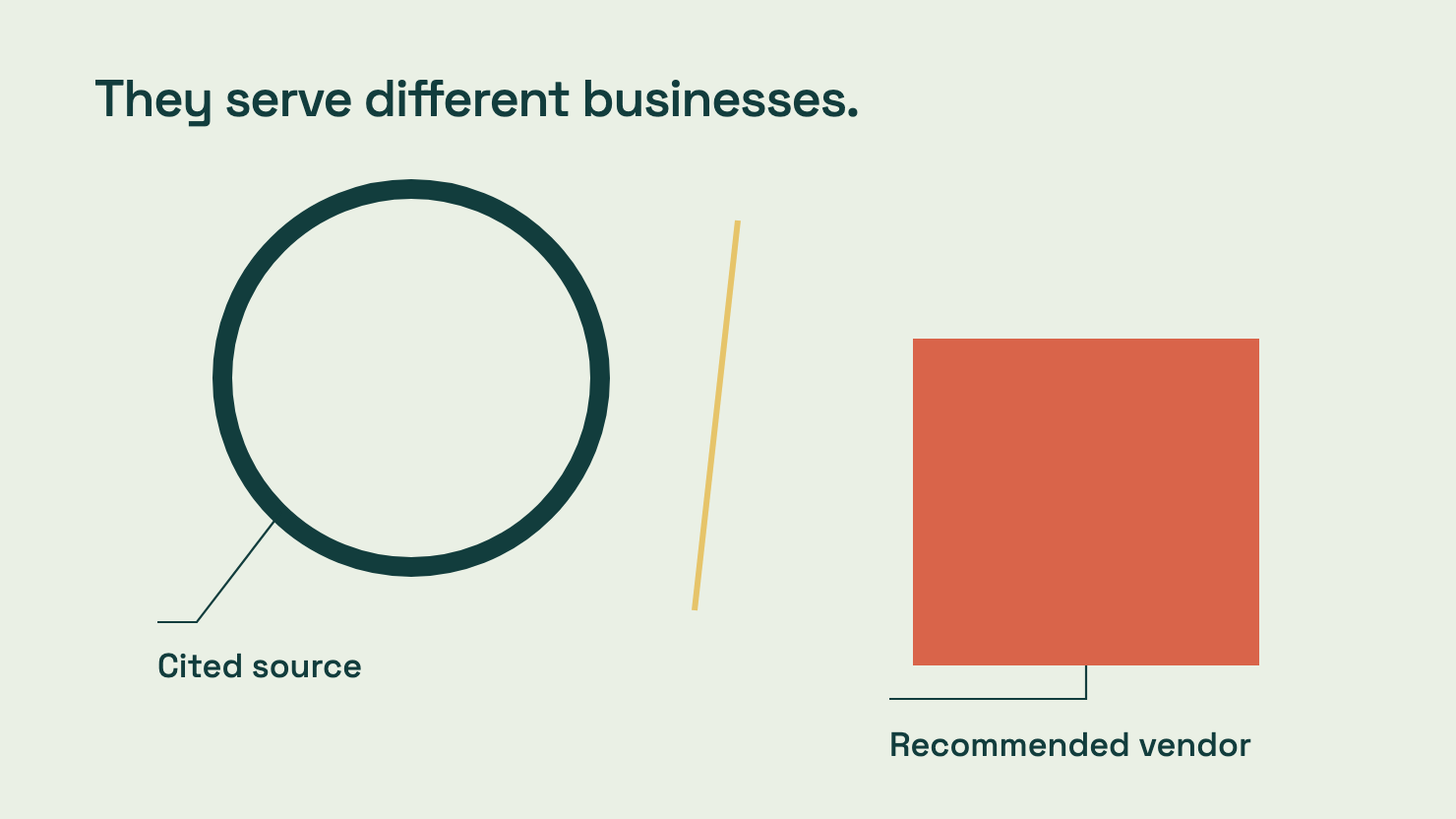
Both outcomes may have value. They serve different businesses.
For DataDab, a cited research article can establish expertise with a marketing leader who later needs help. For a SaaS vendor, a citation attached to an answer recommending its competitor deserves a closer look.
The badge marked “CITED” cannot settle that argument.
Your answer log needs four separate fields:
| Field | What counts |
|---|---|
| Brand mention | The answer names your brand unambiguously |
| Owned-source citation | The answer links to a page on your domain |
| Recommendation | The answer presents your product or service as a suitable choice |
| Material factual error | The answer gets a decision-relevant fact wrong |
Define “suitable choice” before anyone starts scoring. An answer saying your product exists earns a mention. An answer saying it fits the stated requirement can earn a recommendation. An answer saying to avoid it earns neither a positive recommendation nor a celebratory screenshot.
For each recommendation, retain the sentence that supports your judgement.
This makes disagreements cheap to resolve. Otherwise, two people can read the same answer, assign different scores, then spend Friday defending a spreadsheet cell as though it were a disputed border.
You also need room for linked research that never mentions your company in the answer itself. Source visibility and brand visibility can diverge.
That is particularly relevant when you publish useful independent research. The publication may be doing its job even when the answer leaves the agency’s name out.
Freeze the test before admiring the result
A monthly report needs a stable set of questions.
Choose questions buyers could ask at different points in the purchase: which options fit, how they compare, what switching involves, whether a security requirement is met. Use actual sales questions where you have permission to use them. Label invented examples as examples.
Our decision-stage content guide centres on those buying tasks. They offer a better starting point than filling a tracker with twenty variations of “best software”.
Then record the conditions.
Keep the exact prompt, system or product name, collection date, session rules, language, and location where relevant. Save the answer and its links. Separate a consumer search product from an API model; they are different test surfaces.
A small repeated panel is easier to inspect than a sprawling bag of questions nobody remembers approving.
- Twenty fixed buyer questions.
- Two search-enabled systems.
- Three fresh runs per question on each system.
- 120 planned answers in total.
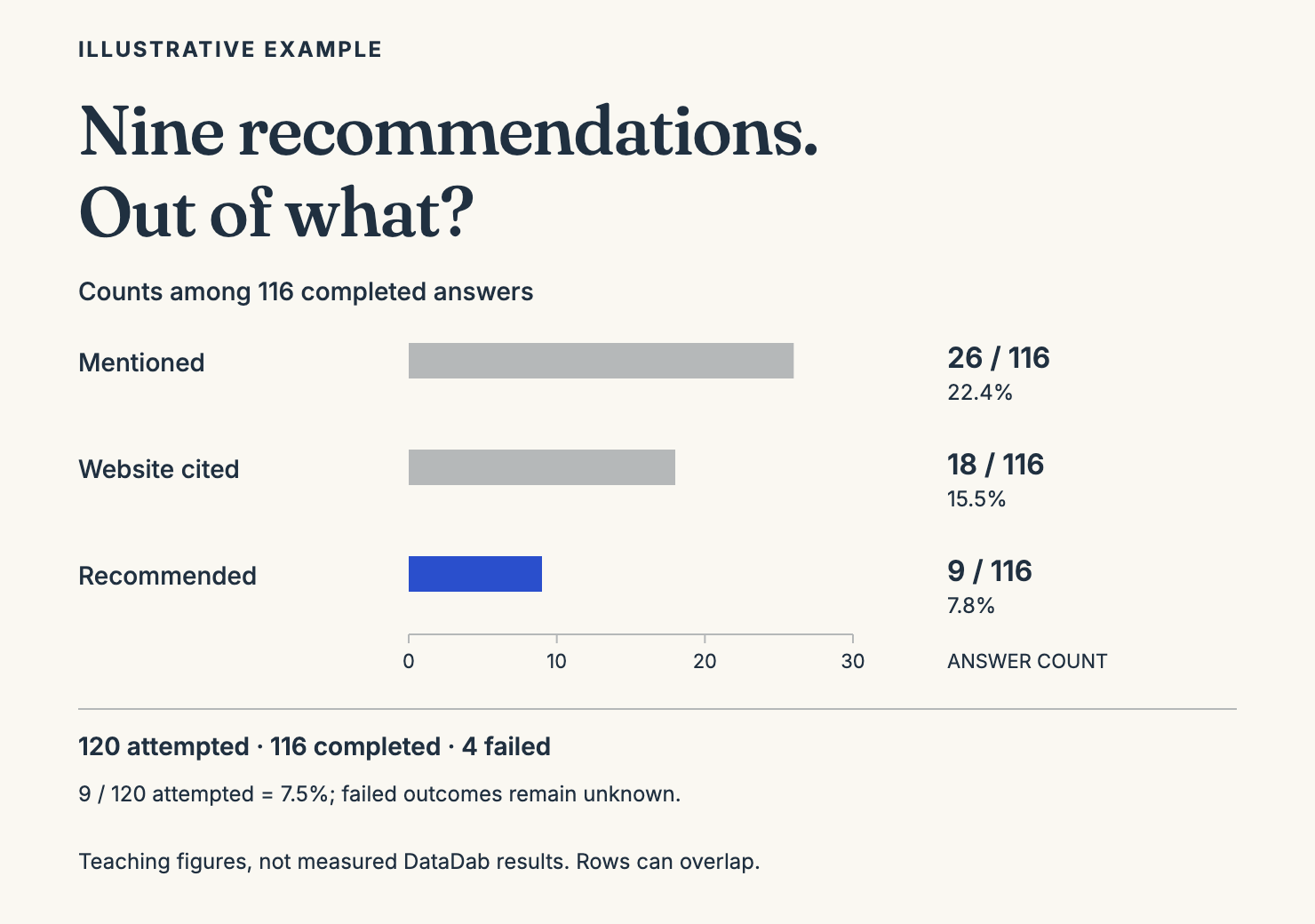
Suppose 116 answers complete and four fail. Of the completed answers, 26 mention the brand, 18 cite its website, and nine recommend it.
The first line in the report should show 116 of 120 answers collected.
Keep those four failed attempts visible. A tracker that quietly discards failures can make coverage look better than the underlying test deserves.
Put the denominator beside the result
Using the illustrative figures above, the reporting block would look like this:
| Observation | Count | Share of completed answers |
|---|---|---|
| Brand mentioned | 26 of 116 | 22.4% |
| Website cited | 18 of 116 | 15.5% |
| Brand recommended | 9 of 116 | 7.8% |
These rows can overlap. They must never be added into one grand “visibility” percentage.
Keep results split by system too. Combining them can hide a weak result in one product behind a stronger result elsewhere.
For recommendations, I’d also show nine confirmed recommendations across 120 attempted answers: 7.5%. The four failures remain unknown outcomes. This gives the reader both the observed-answer rate and the collection gap, without smuggling either into a false claim of certainty.
Give each percentage a plain-language interpretation. “Nine completed answers recommended us for the stated buying requirement” is harder to misuse than a coloured score labelled “AI authority”.
Google creates a separate reporting boundary. Its guidance on AI features and website performance says traffic from AI Overviews and AI Mode is included in overall Search Console search reporting. You cannot take a normal organic-traffic increase, rename it “AI Overview growth”, then invoice the explanation.
A useful first page therefore shows the test conditions, collection coverage, separate outcomes, and known reporting limits.
The next page can tackle the money.
By then, the numbers should have stopped impersonating it.
Here is the actual reporting workbook
Start with the DataDab AI visibility reporting template. It is an Excel workbook you can import into Google Sheets, without handing over your email address or booking a call to obtain the thing the headline promised.
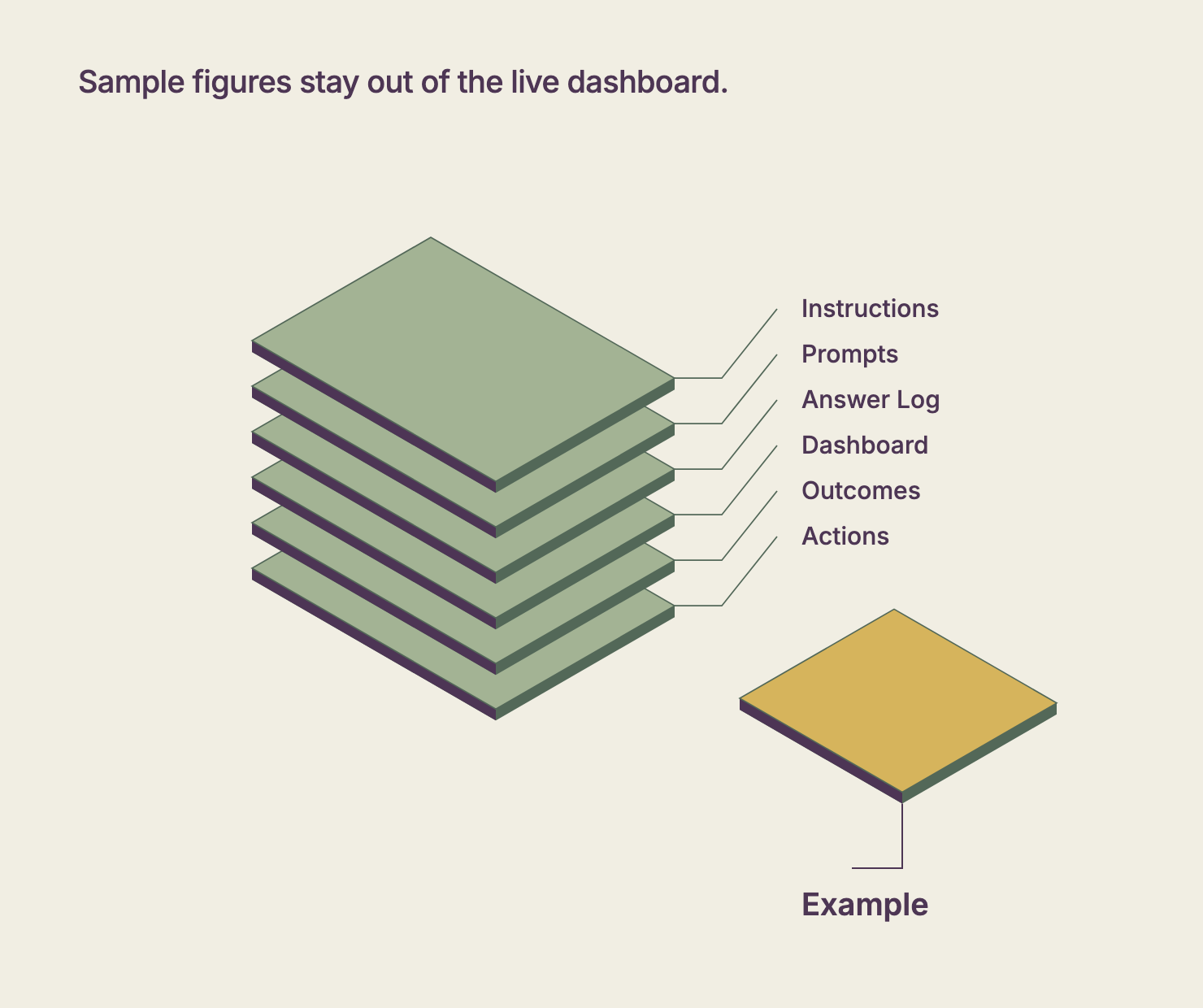
There are seven tabs. Instructions holds the reporting rules. Prompts holds twenty editable buyer questions. Answer Log gives you 120 planned rows: twenty questions, two systems, three fresh runs. Dashboard counts the observations. Outcomes keeps the commercial evidence separate. Actions assigns the next job. Example contains the fictional figures used above.
The live log arrives empty of results. The sample figures stay on their own tab, where they cannot inflate your dashboard. A demo number wandering into a board report would be an impressively stupid way to win an argument.
Replace the example questions before collecting answers. Fill in your system names, target brand, location, language, and date range. The question mix includes branded and unbranded prompts; neither that mix nor its eventual percentages represent the whole market.
Then freeze a copy for the reporting period.
Each completed answer needs a saved record and four judgements: brand mentioned, website cited, brand recommended, material factual error. Use Yes, No, or Unclear. Keep the sentence supporting a recommendation. Explain any error against verified product facts.
The dashboard withholds a rate when completed answers still lack a code for that field. Unclear answers remain visible and stay in the denominator. It also flags missing collection dates, model versions, reviewers, and evidence records.
For a flat file, take the answer-log CSV. That version has rows and columns only; the workbook supplies the formulas and dropdowns.
Keep the money on a separate sheet
A buyer mentions ChatGPT on a call. Another arrives through a visible Perplexity referral. A third reads your comparison page after a colleague shares it.
Those routes deserve different labels. Mashing them together creates a pleasing total with a dubious birth certificate.
The Outcomes tab records reporting dates, observed AI-referral sessions, qualified enquiries with an observed AI referral, self-reported AI discovery, and all qualified enquiries. Put your qualification rule beside the numbers. A student asking for a quote for their dissertation should not suddenly become enterprise pipeline.
Record the source report too. Someone else must be able to find the same number without interrogating you over Slack.
Patrick Stox’s analysis of AI referral traffic to Ahrefs explicitly warns that attribution can undercount visits from AI assistants. Treat visible referrals as an observed slice. Self-report offers another slice, with its own gaps.
Those slices can overlap. One prospect might arrive from an AI assistant and name that assistant on the enquiry form. Counting both observations as two buyers is accounting by photocopier.
I would also keep the sales team’s account of the conversation. Did the prospect bring a shortlist? Ask about a claim an AI answer made? Arrive with an incorrect price?
That evidence can expose a useful problem before referral totals become large enough to look interesting.
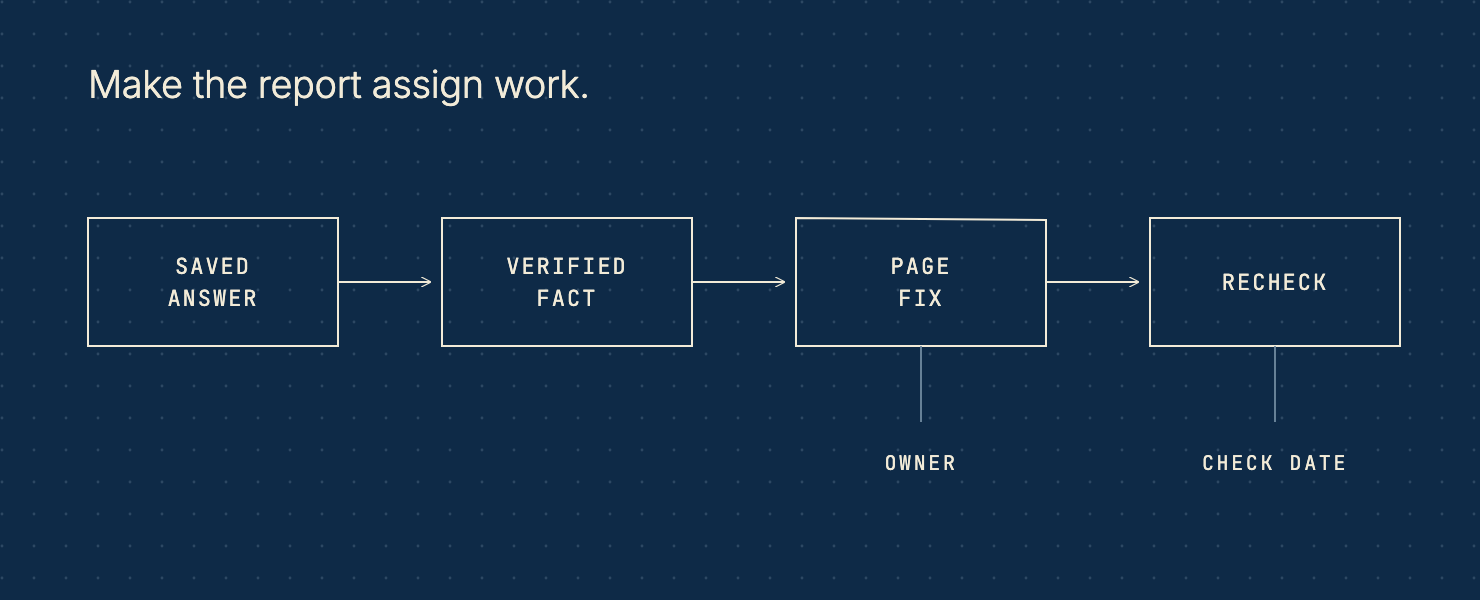
Make the report assign work
The Actions tab should be the most irritating sheet in the workbook. It names an owner.
A drop in citations, by itself, leaves the team guessing. A saved answer that sends the buyer to an obsolete pricing page gives someone a job: inspect the URL, correct the facts, check access, and record a later observation.
Link each action to the evidence that prompted it. Add the page involved, the next step, a due date, and a recheck date. Keep the eventual result, including uncertainty.
For an illustrative case, imagine eight completed comparison answers cite your research, yet none recommends your product. Read the answers before commissioning another article. Perhaps your page gives a clear case for a competitor and barely explains where your own product fits. Perhaps the cited research concerns a category you do not sell into. Either explanation changes the work.
An accurate recommendation of a competitor also needs no emergency rewrite. Keep the useful finding. Choose a different buying question where your product has a defensible claim.
New prompts belong in a new panel version. Run them alongside the old set before changing the headline report. Otherwise, the apparent improvement may come from choosing friendlier questions.
Never turn a before-and-after spreadsheet into a causal claim by force of typography. A later answer can change after a page edit, a search-index update, or a model change. Record what happened; leave the explanation open until the evidence narrows it.
Send finance a decision
The monthly note should fit on one page: what you tested, what you observed, which commercial signals you could verify, and what you propose to fund next.
Attach the workbook. Skip the screenshot parade.
If the test has unresolved gaps, say which conclusions must wait. If a comparison page carries most of your citations, explain the concentration. If an answer gets your product facts wrong, show the wrong claim and its correction.
The report earns its place when it helps the business choose work worth doing. A large citation total can start that conversation. It cannot finish it. I would rather defend a small, well-recorded test and one sensible page fix than a glorious percentage assembled from shifting questions. Keep failed attempts visible. Preserve the buyer’s words. Give every proposed change an owner and a check date. Finance can judge that plan, even when the revenue link remains uncertain. The workbook should make your limits easier to inspect, along with your results. That is the standard the next report has to meet.
Want to get ahead?
Fill the workbook with a fixed buyer-question panel, then scan the page those buyers need to make their decision. Rebuild the missing evidence before buying another dashboard.