
If you're running a small business, you know that sales aren't just the lifeblood of your company—they're also a constant hustle. Day in, day out, you've got to keep the pipeline flowing, nurturing relationships, keeping customers engaged, and, most importantly, closing deals. But how do you manage all of this without working 24/7, exhausting yourself, or losing track of what's happening with your prospects?
Enter sales software. And no, this isn't just another software pitch.
Think of sales software like a smart, reliable assistant. It takes the mundane out of your hands and gives you time to focus on what you do best—connecting with your customers and growing your business. I've seen firsthand how the right tools can turn chaotic spreadsheets into streamlined sales engines. In my work at DataDab, a marketing agency helping small businesses grow, I've witnessed more than a few transformations brought on by simply picking the right tools. Let's get into the details of what sales software is, why it's essential, and how to make it work for you.
What Exactly Is Sales Software?
Sales software, at its core, is a collection of tools that help you manage your sales process more effectively. It's not some kind of magical secret weapon that automatically closes deals for you—no software can do that (yet). Instead, it's designed to streamline your workflow, organize your contacts, track customer interactions, and ultimately help you make data-driven decisions.
The good stuff is nuanced. It adapts to your business and grows with you. It's not about bombarding you with features you’ll never use or offering fancy bells and whistles. It's about giving you exactly what you need, just when you need it. Think of it as a Swiss Army knife for sales—versatile, reliable, and, most importantly, useful.
But there’s nuance. Not all sales software is created equal, and what works for one business may be completely unsuitable for another. This is especially true for small businesses, where budgets are tight, and there’s no room for tools that aren’t pulling their weight.
Why Small Businesses Should Care About Sales Software
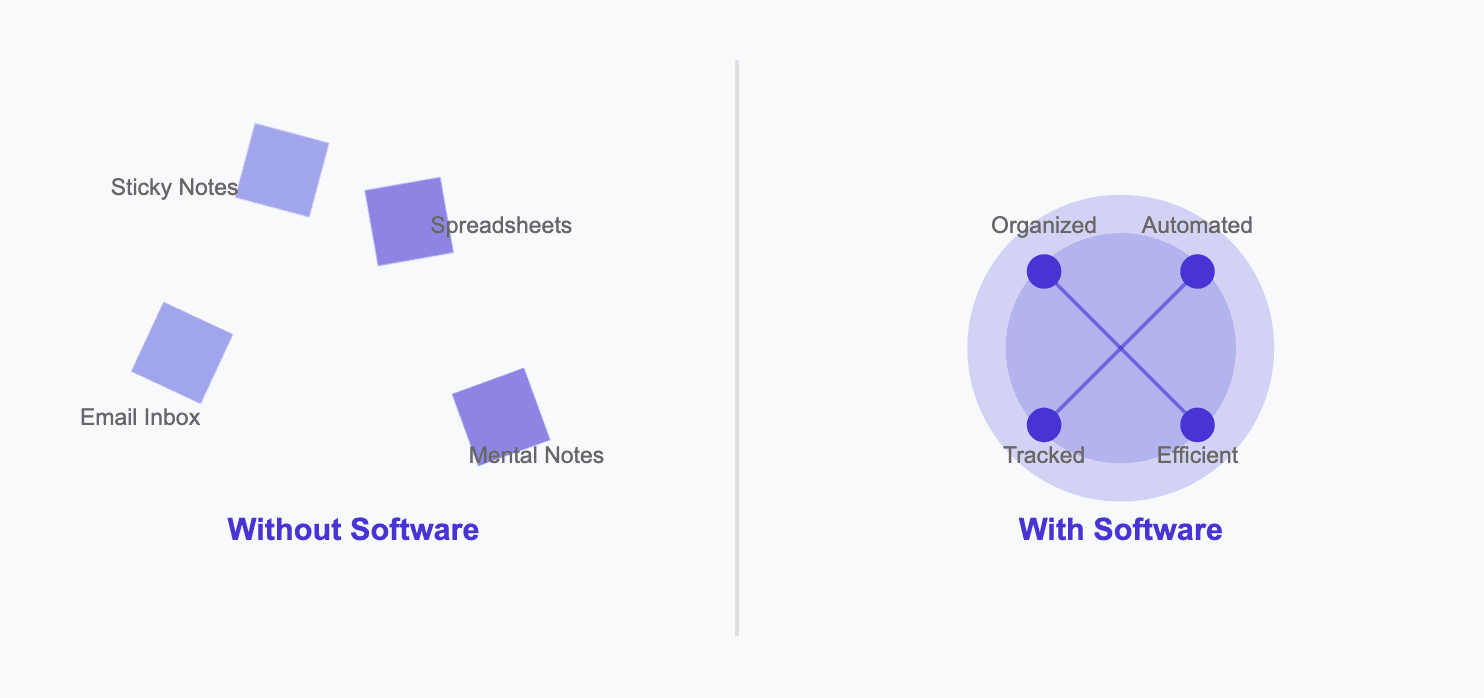
Let’s face it—sales can be messy. You have leads coming in from your website, cold emails, referrals, social media, and maybe even a trade show or two. Managing these contacts and moving them down the funnel takes more than a steady hand—it takes clarity, consistency, and impeccable timing.
Without the right tools, you’re relying on sticky notes, Excel sheets, and mental notes (spoiler alert: they don’t last). You’ll find yourself drowning in details—a customer you meant to follow up with three weeks ago, an email that should’ve been sent, or a critical piece of information that slipped through the cracks. And the cost of these missed opportunities? Lost revenue, frustration, and a sense of playing catch-up rather than proactively closing deals.
Sales software for small businesses is all about simplifying and automating these complex parts of the process. Imagine setting automatic reminders to follow up on a lead, logging calls without touching your keyboard, or simply being able to visualize your entire pipeline in one place. It means fewer headaches, more efficiency, and—ultimately—more closed deals.
The Types of Sales Software You Should Know About
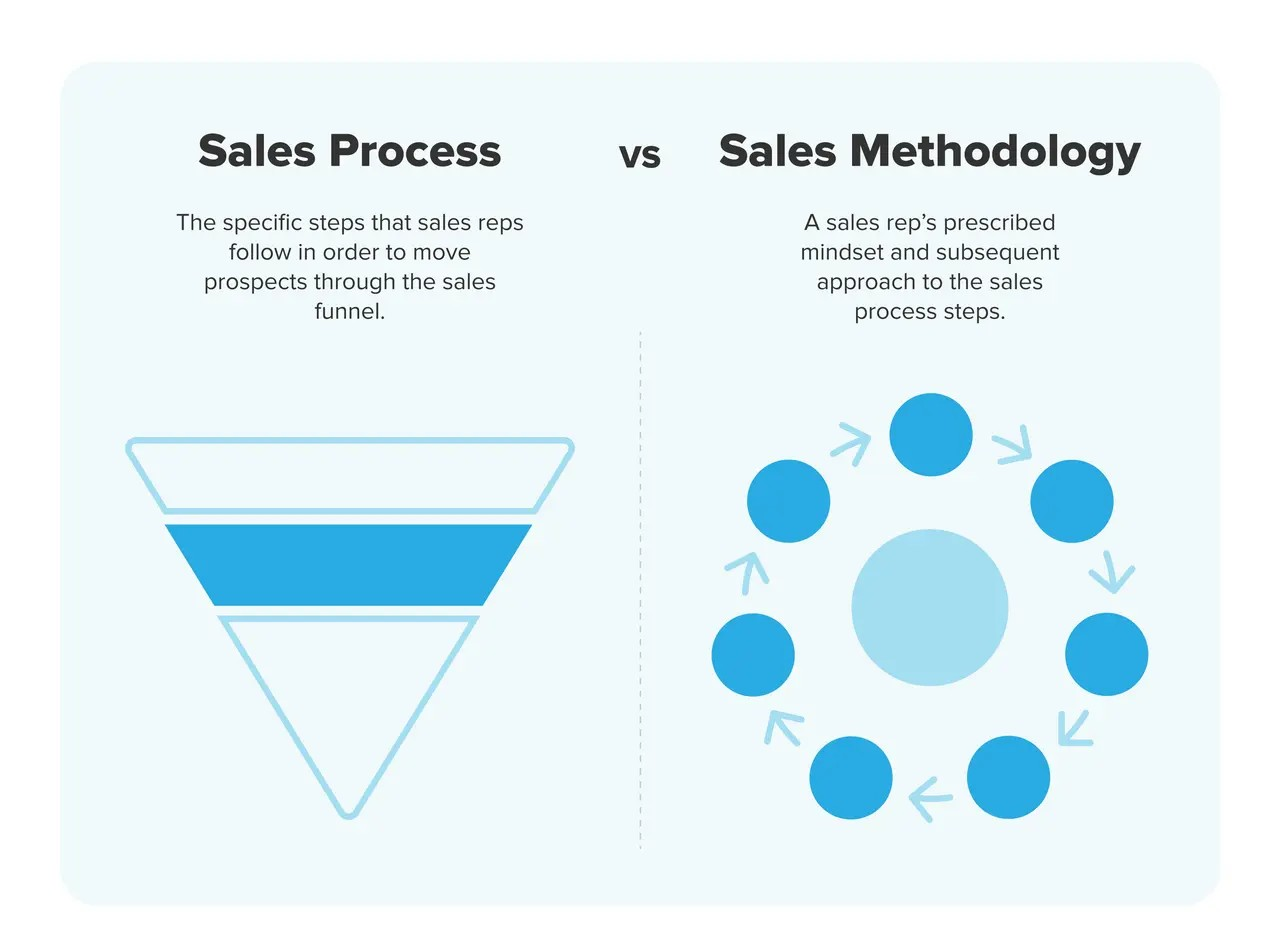
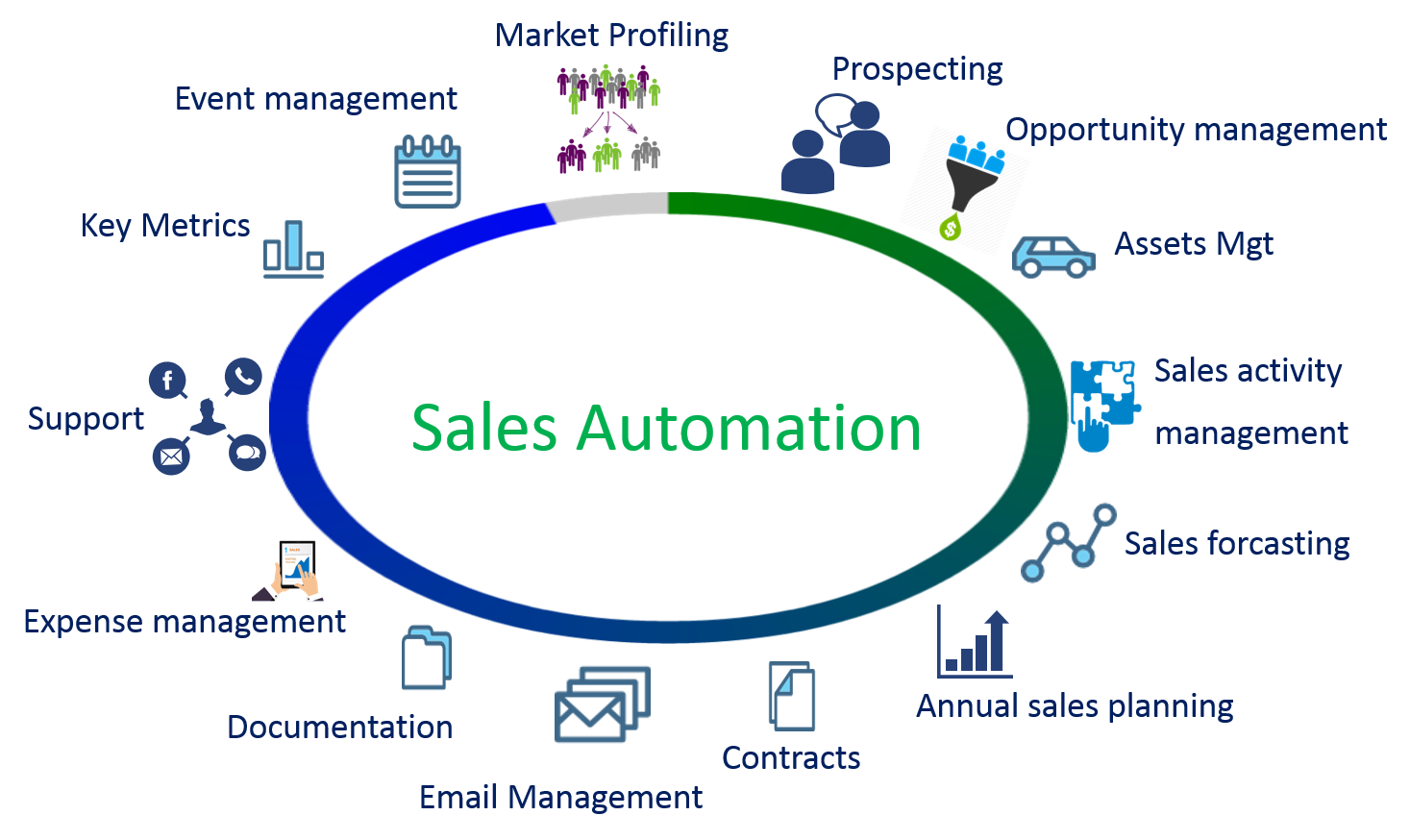
Sales software isn't a one-size-fits-all scenario. There are several categories of tools that work together to streamline your sales process. Below, I’ll break down a few types of sales software that might just be the missing piece for your business puzzle.
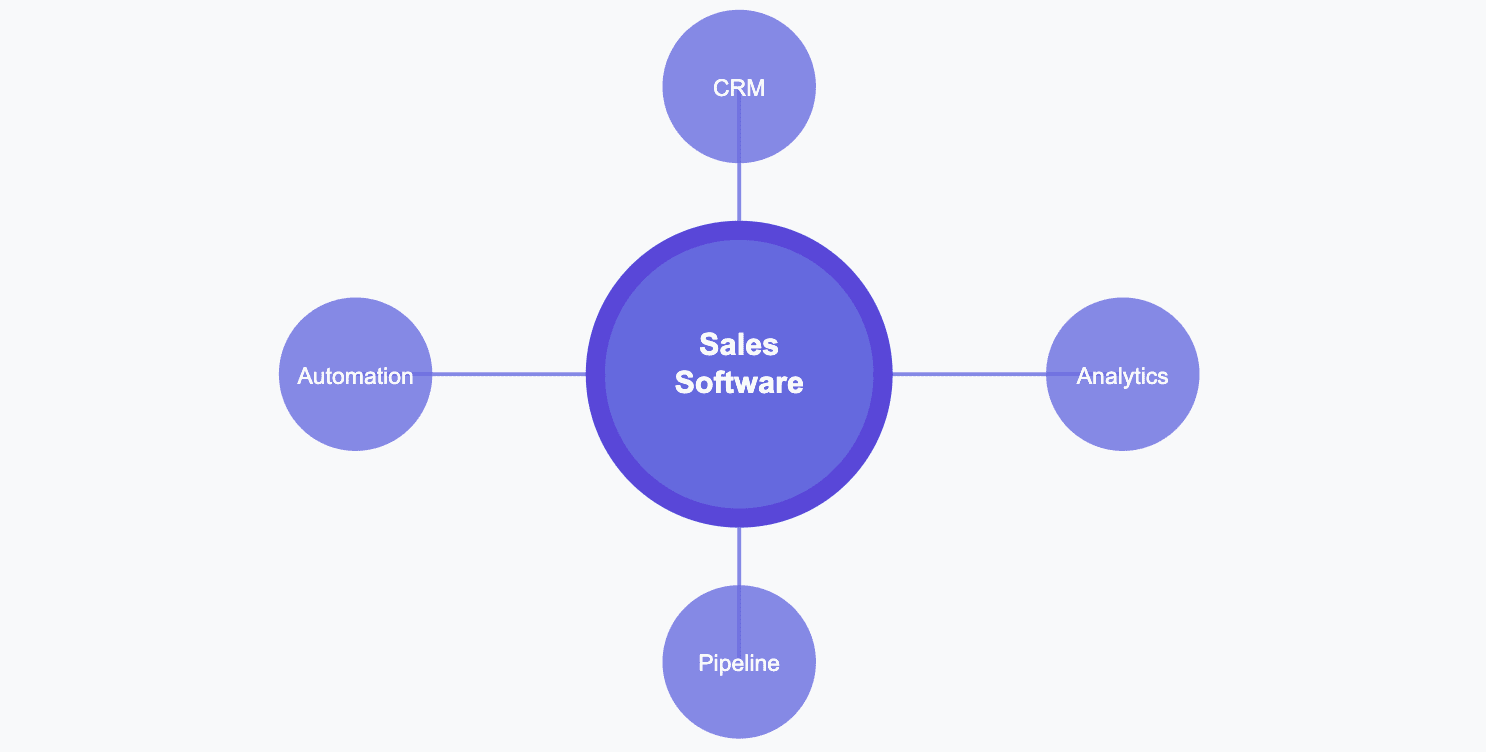
Customer Relationship Management (CRM)A CRM system is, in most cases, the backbone of your sales software toolkit. Think of it as your central command center, where all your leads, customers, and sales data live.
Whether you’re a brick-and-mortar store or an e-commerce brand, having a CRM means no more scribbling down phone numbers on Post-Its or juggling Google Sheets.
CRMs like HubSpot, Zoho, or even lightweight solutions like Pipedrive are ideal for managing customer interactions, storing all those tiny details that help you personalize your outreach. For small businesses, it's about being able to offer a personal touch without needing a personal assistant.
Sales Automation Tools Sales automation tools help you automate repetitive tasks like sending follow-up emails, scheduling meetings, or logging interactions.
Tools like Mailgo and Outreach can help you streamline your outreach efforts.
Mailgo is an AI-powered sales automation platform designed to improve cold email outreach with high deliverability and personalization. It offers features like AI-driven lead discovery, smart scheduling, and pre-warmed email accounts to help businesses reach their target audience effectively.
Lead Generation Tools No leads, no sales. Small businesses often struggle with getting a steady stream of quality leads. That’s where lead generation tools come in.
LinkedIn Sales Navigator or Hunter.io can help you identify potential customers, find their contact information, and reach out in a strategic, informed way. These tools are invaluable for identifying prospects and initiating conversations that don’t feel like spam. It’s an art: personalization meets data, and the right tool helps you find that balance.
Proposal and Contract Management Small businesses can win or lose deals at the proposal stage. Often, it comes down to how polished, clear, and professional your proposals and contracts are.
PandaDoc and Proposify make creating, sending, and tracking proposals incredibly straightforward. No more guesswork about whether a prospect opened your email. If you’re considering other solutions, exploring PandaDoc alternatives can help you find the best fit for your business’s unique needs.
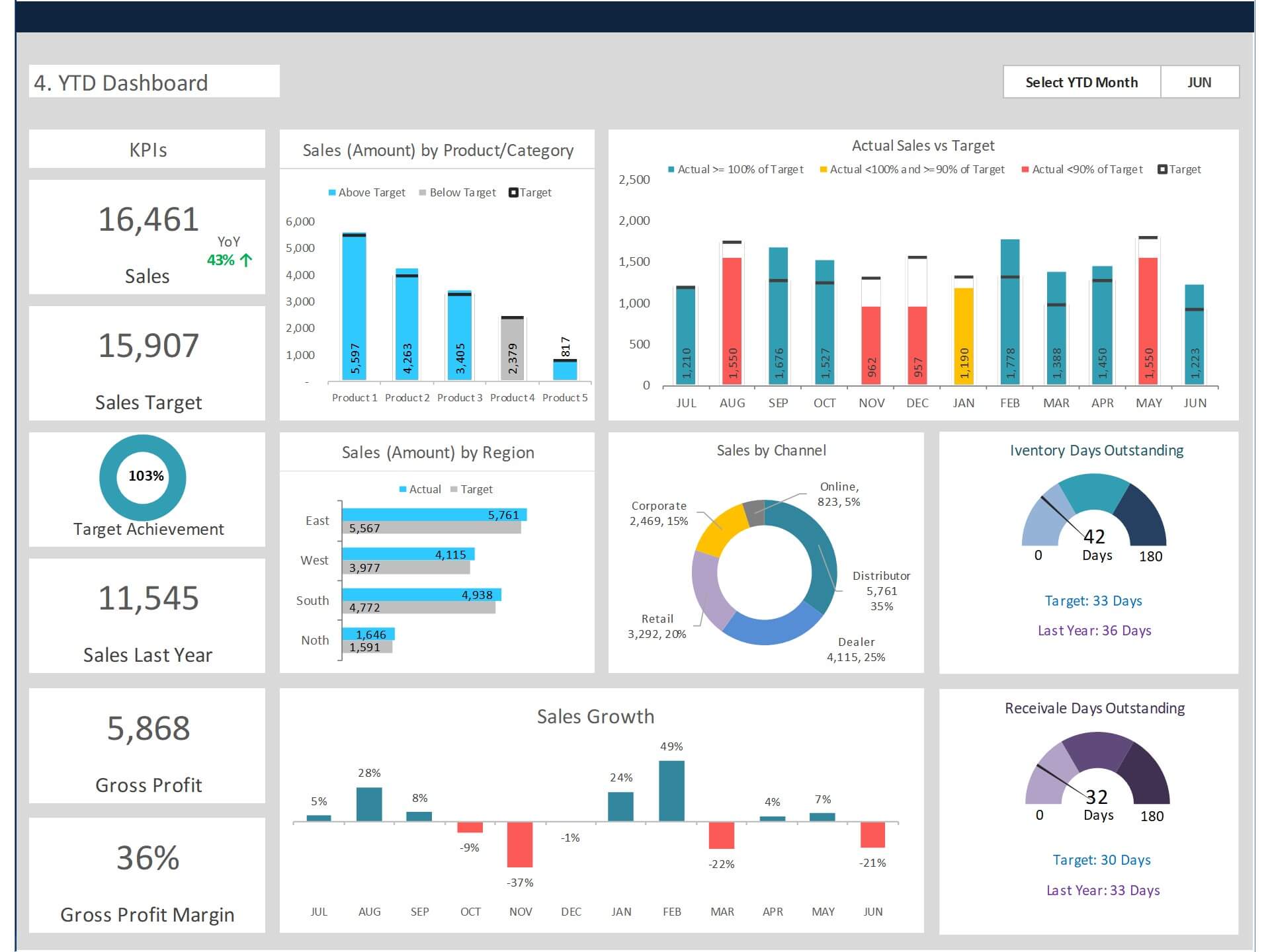
Reporting and Analytics Tools What gets measured gets improved. Analytics is generally overlooked by small businesses, but it's a secret weapon that can drastically improve your sales process.
Tools like Salesforce Analytics, or even something lighter like Databox, allow you to track which activities bring the best results. Which emails get responses? Which leads convert the quickest? These insights are game-changers, transforming random hustle into a deliberate, data-driven approach to scaling your sales.
Building Your Ideal Sales Software Stack
Now that you know what types of tools are out there, how do you decide which ones make sense for your business? The truth is, picking the right tools isn’t just about functionality—it’s about balance. You want software that works seamlessly together, gives you useful insights, and doesn’t require a Ph.D. to operate. Here’s how you should approach it:
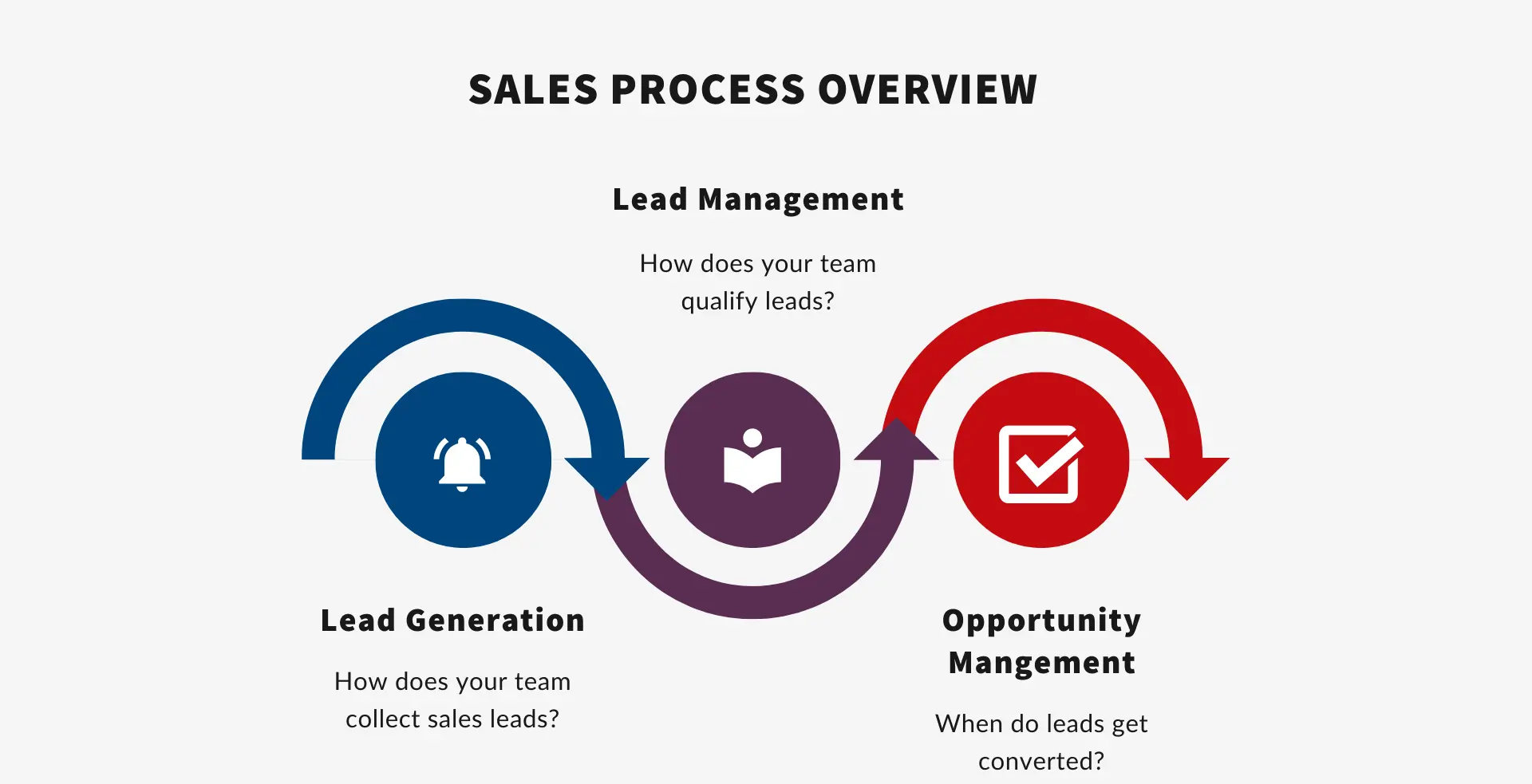
Understand Your Sales Cycle Before diving into software, you need to understand your sales cycle. How do leads come in? How long does it take to convert them? Where do most leads fall through the cracks? The answers to these questions will guide you toward the right tools. For example, if your lead conversion time is long, you might benefit more from a solid CRM paired with sales automation rather than pure lead generation tools.
Budget Wisely (But Don’t Be Too Cheap)Small businesses often need to keep costs down, but when it comes to sales software, being stingy can cost you more in lost deals. The key is to invest in scalable software that won’t break the bank but can grow with you. Zoho CRM and HubSpot both offer free or very affordable tiers, making them great choices for starting small.
Ease of Use Over Complexity A common mistake is thinking you need every bell and whistle. Overly complex software can lead to team resistance and adoption issues. If it’s not easy to use, it’s not going to work. The best sales stack is one that feels like an extension of your workflow—not a completely separate job.
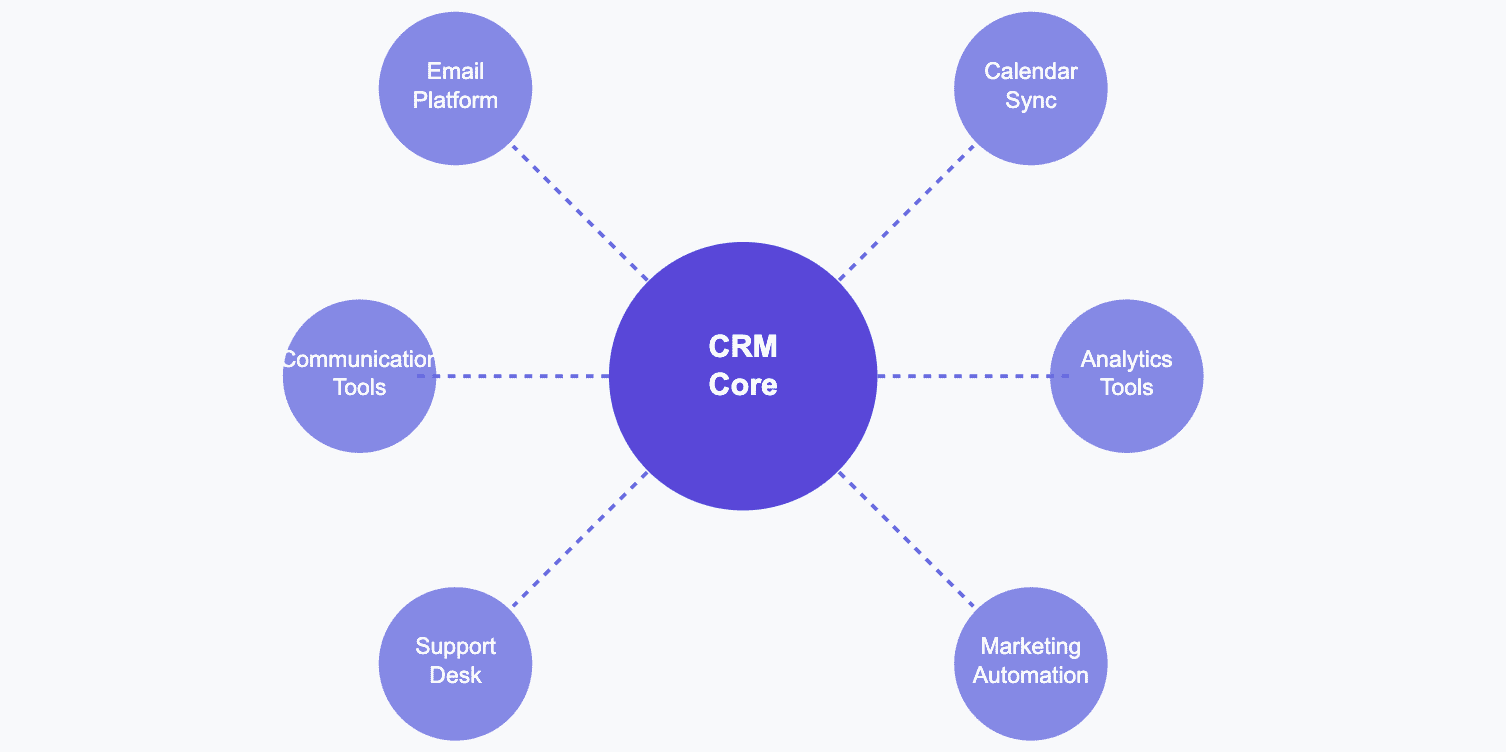
Integration Matters Your sales software should work together like a well-oiled machine. If your CRM doesn’t integrate with your email marketing or lead generation tools, you’ll end up duplicating efforts and creating silos. Tools like Zapier can help bridge gaps between software that might not natively integrate. It’s about creating a cohesive sales ecosystem.
Features to Look for in Sales Software
When selecting the right sales software for your small business, it's important to know which features will actually make a difference in your day-to-day operations. Here are some key features to look for:
Automated Data Entry Sales reps typically spend a disproportionate amount of their time manually logging data. Look for software that takes this off your hands. Automatic data entry, like logging emails and calls, not only saves time but also ensures that information is complete and accurate.
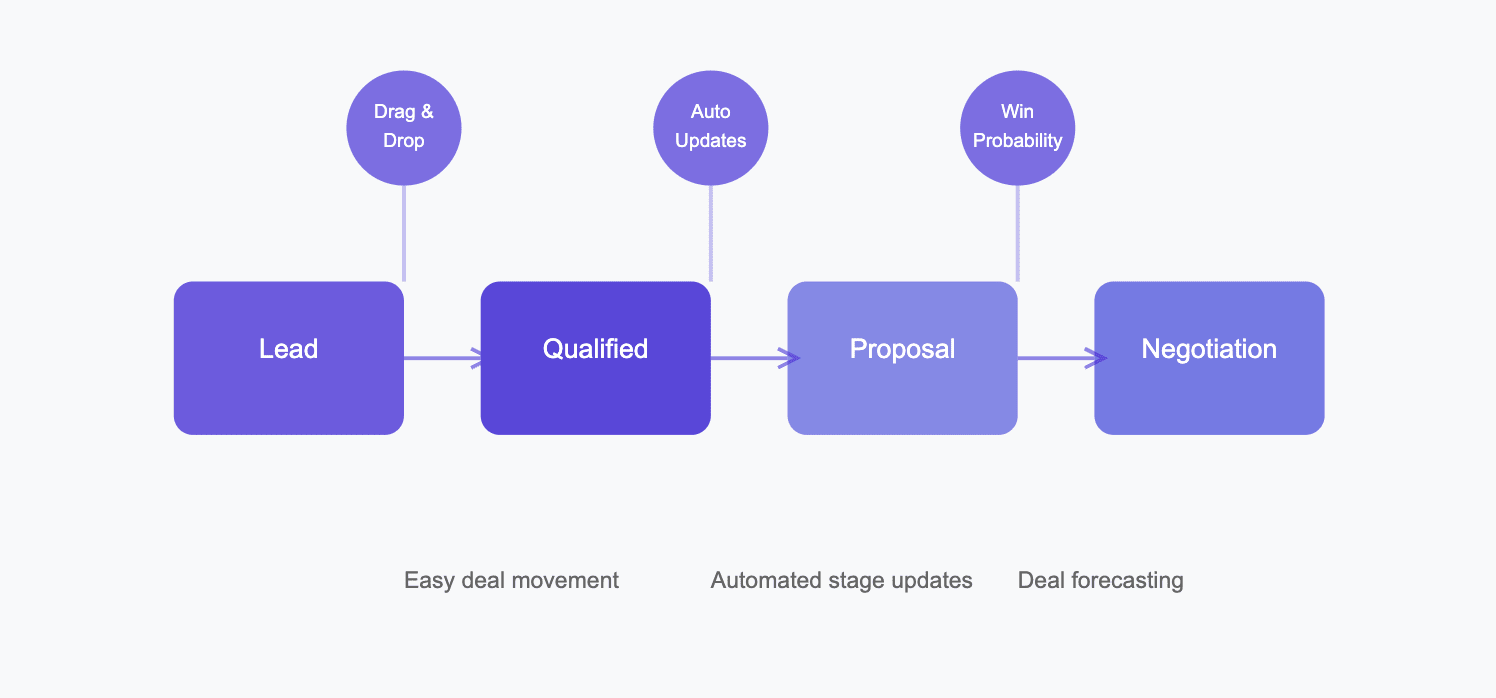
Pipeline Management Your pipeline is where all your leads live. Software with visual pipeline management helps you track which stage each deal is in. A simple drag-and-drop interface that allows you to move deals through different stages can make a huge difference.
Mobile Accessibility Sales happen on the go, especially for small businesses. Whether you’re at a networking event or just checking in from your favorite coffee shop, having a mobile-friendly tool is essential. Make sure your CRM and automation tools have solid mobile apps.
| Feature | Importance Level | Benefits |
|---|---|---|
| Automated Data Entry | High | Saves time and minimizes manual errors |
| Visual Pipeline Management | Medium | Easily track lead progress |
| Mobile Accessibility | High | Access data and interact on the go |
A Few Case Studies: Sales Software in Action
Case Study 1: Small Retail Business Finding Its Groove
A small, family-run retail business struggled to keep track of its customers and saw many prospects fall through the cracks. They started using HubSpot CRM, mainly because of its user-friendly interface and free tier that allowed them to test the waters.
The impact? Major. The owner noted that simply having all customer interactions in one place improved the quality of their follow-ups. The ability to see the full history of email conversations, phone calls, and even notes helped them prioritize who to reach out to and when.
Case Study 2: A B2B Service Agency Scaling Their Efforts
A local digital marketing agency—not unlike DataDab—started out relying on spreadsheets and Gmail to manage leads. As they grew, they needed something more solid. They opted for Pipedrive due to its simplicity and ability to track sales activities visually.
The result? Their conversion rates improved by nearly 40% within six months. The sales team appreciated the visual pipeline, which made it easy to see which deals needed attention. Additionally, automations such as email follow-ups and reminders helped them keep up with a growing number of prospects without sacrificing personalization.
Challenges in Adopting Sales Software (and How to Overcome Them)
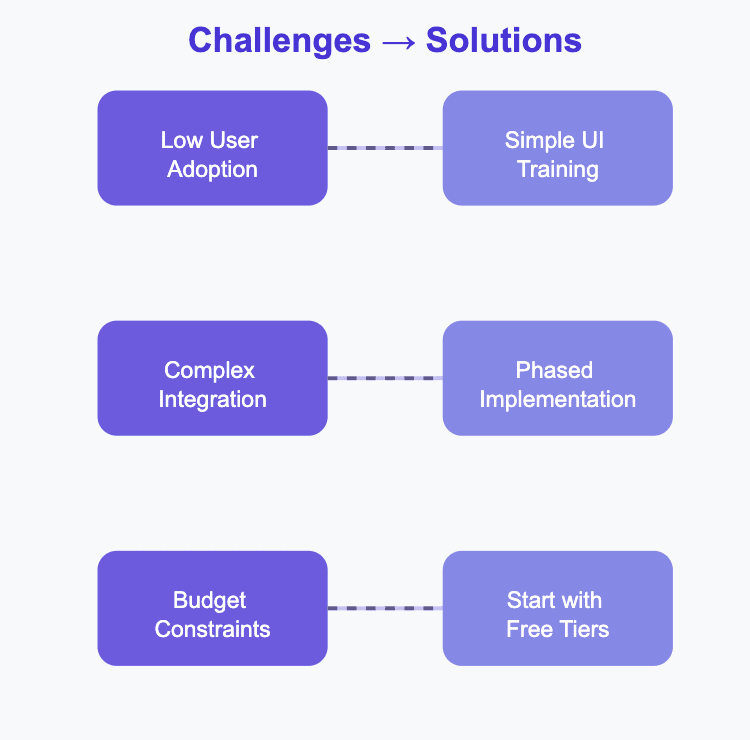
No tool, no matter how flashy, is without its hurdles. The biggest challenge for small businesses in adopting sales software often boils down to user adoption. Simply put, if your team isn’t using it, it’s not helping you. Here’s how you can tackle that:
- Simplicity First Choose tools with a low learning curve. Make sure they provide training resources. HubSpot, for example, has extensive free training for getting the most out of their CRM.
- Involve the Team Early Involve your sales team in the decision-making process. Getting buy-in from those who will use the tool ensures that it meets their needs and reduces resistance when it’s time to make the switch.
- Take It Step by Step You don’t need to implement the entire suite of features from day one. Start with the basics—logging contacts, managing your pipeline—and slowly introduce automation and reporting as your team gets comfortable.
| Challenge | Solution |
|---|---|
| User Resistance | Involve team early in tool selection |
| Complexity | Choose a tool with a low learning curve |
| Lack of Adoption | Provide training resources and onboard gradually |
Best Sales Software Tools for Small Businesses
Here’s a breakdown of some of the best sales software solutions out there specifically for small businesses. I've grouped them by use case to make things easier:
| Category | Tool | Price Range | Best For |
|---|---|---|---|
| CRM | HubSpot | Free to $50/month | All-in-one CRM for small teams |
| Sales Automation | Mailgo | $19/month | Email sequences and follow-ups |
| Lead Generation | LinkedIn Sales Navigator | $79.99/month | High-quality lead identification |
| Proposal Management | PandaDoc | Free to $19/month | Creating and tracking proposals |
| Reporting/Analytics | Databox | Free to $59/month | Visualizing sales metrics |
Each tool serves a different aspect of the sales process, and the best results often come from combining several that integrate well.
The Human Element in Sales Software
Sales software for small businesses isn’t about taking the humanity out of sales—it’s about amplifying what makes you great. It’s the difference between spending hours on administrative tasks and spending hours closing deals. And for small businesses, every hour counts.
The goal is to improve what already works. Think of sales software as an extension of you—it tracks what you can't, remembers what you forget, and nudges you just when you need it. At DataDab, I've watched clients who initially resisted adopting sales tools grow into businesses that are leaner, more efficient, and undeniably more profitable once they did.
You’re never going to win every deal—that’s part of the game. But with the right sales software, you’ll certainly win more. And who doesn’t want that?
If you've got questions, need help picking the right tool, or want more specific recommendations tailored to your unique needs, feel free to reach out. I'd love to help you work through this essential aspect of business growth.
FAQ
1. What exactly is sales software, and how does it benefit my small business?
Sales software is a set of digital tools that help manage and streamline the sales process, such as lead tracking, customer relationship management (CRM), and sales automation. For small businesses, it saves time, reduces manual tasks, and improves sales efficiency by helping you stay organized and consistent.
2. Which type of sales software should I start with if my budget is limited?
For a limited budget, start with a CRM like HubSpot or Zoho, which have free versions that cover essential sales management features. These will help you organize leads and manage follow-ups effectively without a financial burden.
3. What is the difference between CRM and sales automation software?
A CRM helps manage relationships and data about customers, while sales automation tools focus on automating repetitive tasks such as email follow-ups and appointment scheduling. CRMs are great for organizing data, whereas sales automation frees up time for strategic selling.
4. How do I decide which sales software features are the most essential for my business?
Identify pain points in your sales process, such as repetitive data entry, missed follow-ups, or unorganized pipelines. Focus on features like automated data entry, follow-up scheduling, and pipeline visualization to address these specific challenges.
5. How can I ensure my team adopts the new sales software effectively?
To ensure team adoption, involve them in the decision-making process and provide training resources. Choose tools that are user-friendly and start by implementing basic features first to allow gradual learning and comfort.
6. How can sales software integrate with the other tools my business is already using?
Look for sales software that offers integrations with popular platforms like Gmail, Slack, or accounting software. Use tools like Zapier to bridge connections between tools that don’t have native integration options.
7. What are the biggest challenges small businesses face when implementing sales software?
The biggest challenges include user resistance to adopting new tools, high learning curves, and the cost of software subscriptions. To overcome these, start small with free or budget-friendly tools and focus on easy-to-use solutions.
8. Are there sales software options that offer mobile capabilities?
Yes, many sales software options offer mobile apps, such as HubSpot and Zoho. Mobile capabilities allow you to manage your sales process on the go, track leads, and access customer information from anywhere, which is essential for small businesses with a lot of fieldwork.
9. How do I know if the sales software I am using is working effectively?
Track key metrics such as lead conversion rates, sales cycle length, and follow-up effectiveness. The right sales software should help you reduce the time spent on admin tasks and improve these key performance indicators over time.
10. What should I prioritize: a powerful CRM or multiple smaller tools that each do specific tasks?
For small businesses, starting with a powerful CRM that covers multiple aspects like contact management, pipeline tracking, and automation is often more practical. As your business grows, you can add more specialized tools to address specific needs and integrate them into your stack.