

For the solo marketers clutching Notion templates and whispering ‘please work’ into their laptops
Look, I’m not saying I’ve seen the seventh circle of marketing hell, but I have tried to plan a full content calendar with exactly zero budget, no designer, and a tech stack held together with duct tape and desperation. If you’ve ever Googled “best free social media scheduler” at 3 a.m. or offered a brand collaboration in exchange for coffee, welcome - this one’s for you.
Content planning is usually painted as this clean, Asana-colored process filled with strategy decks, persona portraits, and words like “alignment.” In reality? It’s a solo marketer staring down a blank Notion board while Slack pings like a caffeinated parrot.
So how do you pull off a month’s worth of solid content without money, manpower, or a will to live? With a cocktail of cunning, AI tools that don’t charge your soul, and a little spreadsheet wizardry.
Here’s the full playbook - warts, wins, and all.
From Blank Screen to Content Machine
The Cold Start Problem (a.k.a. “What Do I Even Post?”)
You know the drill. You need 20+ posts, yesterday. But your brain is doing that buffering thing, your CEO thinks “let’s post a meme” is a content strategy, and all you’ve got is a vague idea about “educational value.”
This is where AI idea generation tools become your new unpaid interns.
Here’s what I used:
- ChatGPT Free Tier: The workhorse. Prompted it with:
“Give me 30 content ideas for a B2B SaaS brand selling productivity software to team leads.”
Got back a decent buffet - some useful, some cringe, all editable. - AlsoAsked and AnswerThePublic (free tiers): Gave me actual queries people type into Google, which I sprinkled through the content like SEO confetti.
- Glasp AI or HARPA AI (for Chrome): These tools scrape and summarize top-ranking content so I could see what’s already out there - and then one-up it.
By the end of day one, I had a list of 40 ideas. 30 I could use. 10 I kept in case of emergency (or when I hit Tuesday of Week 3 and wanted to delete my calendar).
Content System Complexity Map
Organizing the Chaos: Spreadsheets & Notion Templates That Don’t Suck
Let’s be honest - most free content planning templates look like they were made during a group project in Excel 2003.
So I built my own Notion + Google Sheets hybrid system that was:
- Free.
- Functional.
- Slightly unhinged (but in a “gets results” way).
What it looked like:
- Notion for content calendar + status tracking
Columns: Idea, Format, Hook, CTA, Status, Publish Date, Platform.
I gave each idea a ‘vibe tag’ too - yes, literally called it “vibe.” (Is it bold? Is it helpful? Is it snarky enough?) - Google Sheets for scheduling + asset links
Mainly because Notion’s calendar view is about as nimble as a cow on ice. - Trello backup board: For drag-and-drop moodboarding. Felt excessive, but it worked when I needed to visualize themes.
Once you’ve wrangled your content ideas into a system you don’t hate, it’s time to actually write the damn things.
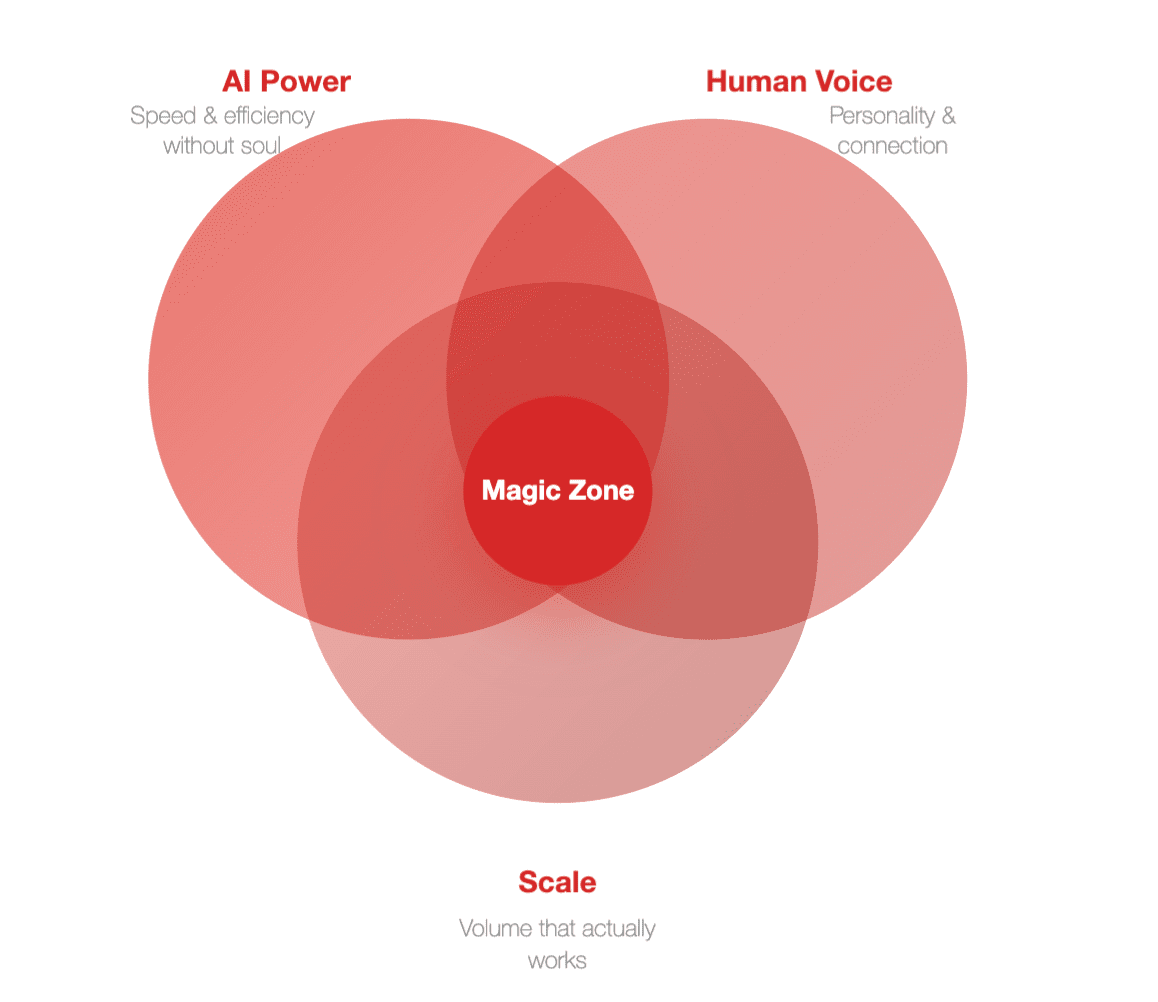
Writing at Scale Without Sounding Like a Robot
AI can help you generate posts fast. It can also make you sound like a sentient LinkedIn bro-bot. (“Unleashing value-driven synergy” is not a personality.)
Here’s how I made it work without losing my voice:
Prompt layering is everything.
Rather than:
“Write a LinkedIn post about time management.”
I went with:
“Write a first-person, mildly sarcastic LinkedIn post about how time-blocking helped me survive a product launch week from hell. Include a personal anecdote, 3 punchy tips, and a rhetorical question at the end.”
This gave me:
- 80% usable copy with my tone baked in.
- Enough structure to edit fast, but flexible enough to stay human.
Free writing tools I actually liked:
- ChatGPT + Grammarly browser plugin: Catch those sneaky comma crimes.
- Wordtune (free version): Surprisingly good at softening robotic phrasing.
- Hemingway App: Brutal, but fair. You will be shamed for that 42-word sentence.
Average time to draft + polish a post? About 15 minutes. Less than the time it takes your CEO to say “let’s just A/B test it.”
Visual Creation Set of tools
Graphics Without a Designer (or Tears)
Here comes the part that makes most solo marketers cry into their Canva tabs: visuals.
Enter AI image helpers.
- Canva Free: Still the GOAT. I used templates religiously - swapped colors, added logos, boom. Done.
- Kittl or Adobe Express (free tiers): For fancier vibes. Great for quote posts or stats that need to look credible.
- DALL·E (via Bing Creator): When I needed something offbeat - like a raccoon holding a productivity chart - I let it go wild.
Pro Tip: Pick 2-3 design templates and stick to them. You want visual consistency, not a mood swing.
I also batch-created everything - 7 posts per session. With a strong coffee and a low bar for perfection, you’ll be amazed what gets done.
Free Scheduling Stack
Scheduling It All Without Paying Buffer or Hootsuite a Dime
You can pay for scheduling tools, or you can embrace the janky-yet-functional approach:
- Meta Business Suite (free): Perfect for Facebook + Instagram. Surprisingly usable. Didn’t hate it.
- LinkedIn native scheduler: A bit clunky, but it’s there.
- Notion Reminder + Google Calendar: Yes, manual posting is annoying. But hey, it's free cardio for your fingers.
If you must automate:
- Publer.io (Free tier): Covers 3 platforms. Good enough for solo flights.
- Typefully (for X/Twitter, limited free posts): Lovely UI, makes you feel like a thought leader even when you’re tweeting about sandwiches.
Results? Actually Decent.
In just 3.5 days of focused, slightly chaotic work, I walked away with:
- 22 LinkedIn posts
- 8 Instagram carousels
- 4 blog outlines
- 1 content repurposing matrix
- 0 budget spent
- 1 mild headache
Engagement? Up. Inquiries? A few trickled in. Sanity? Still intact. Just.
More importantly, I wasn’t waking up every morning screaming “WHAT DO I POST TODAY?”
And yes, I did reward myself with a latte named after an AI model. (They called it the 'Flat-GPT'.)
“Wait, Can You Actually Do This?”
Q: Can AI really replace a strategist?
A: Nope. But it makes a decent intern who never sleeps or asks for health insurance.
Q: Doesn’t this risk sounding generic?
A: Only if you don’t edit. Treat AI as draft zero, not the final say.
Q: How do you stay on-brand?
A: Create a mini voice guide. Mine says things like “mild sarcasm is welcome” and “ban all synergy.”
Q: What if I have to do video too?
A: Descript’s free tier is your friend. And if your face isn’t camera-ready, go audio-first with audiograms.
Q: Does this work long term?
A: It works until you can afford a real team. Or until ChatGPT unionizes.
AI Strategy Knowledge Web
Scrappy ≠ Sloppy
Look, you don’t need a five-figure budget or a content ops team with matching mugs. What you do need is a plan, a few good AI sidekicks, and the willingness to ship things that are 90% done instead of waiting for perfect.
This whole setup? It’s held together by free tools, caffeinated courage, and the kind of hustle that makes you rewrite headlines while walking your dog.
So if you’re solo, broke, and allergic to fluff - cheers. You’ve got this.
FAQ
1. Can I plan a full month of content using only free AI tools?
Yes, but with caveats. Free AI tools can generate strong first drafts, help ideate post topics, and even create visuals. The key is knowing how to prompt them well and spending time editing to retain your brand’s tone. Think of AI as a rough carpenter - you still need to sand, paint, and furnish.
2. Which AI tool is best for content ideation without paying a cent?
ChatGPT's free version is still the most versatile for raw idea generation. Pair it with keyword suggestion tools like AnswerThePublic or AlsoAsked to tie your posts to what people are actually searching for. The magic happens when you combine AI creativity with real search intent.
3. How do I make sure my AI-generated content doesn't sound robotic or generic?
Customize your prompts with tone instructions, context, and structure. Instead of vague commands like “Write a post about productivity,” try “Write a first-person post with humor about how a solo marketer uses time blocking to survive content chaos.” Always review and revise - editing is where the magic happens.
4. What’s the best way to organize all the ideas AI throws at me?
Use Notion or Google Sheets to sort and tag content ideas by topic, platform, tone, and status. Create columns like ‘Format’, ‘Hook’, ‘CTA’, and ‘Vibe’ to help filter and track what gets published. Color-coding for deadlines and post types can also help if you’re a visual thinker.
5. Can I create decent visuals using free AI and design tools?
Absolutely. Canva’s free version, paired with a few AI-generated image tools like DALL·E or Kittl, can produce scroll-stopping content. Keep a few branded templates and swap out text and icons to stay consistent. Don’t aim for perfection - aim for clean, clear, and on-brand.
6. How do I handle content scheduling without premium tools?
Lean on native platform schedulers like LinkedIn’s post planner or Meta Business Suite for Facebook and Instagram. If you need a multi-platform tool, Publer and Buffer offer limited free plans that are surprisingly capable. Or go lo-fi: add posting reminders to Google Calendar and do it manually.
7. What kinds of posts should I prioritize when using AI for content?
Educational posts, listicles, “hot take” commentary, and short-form storytelling work particularly well. AI handles structured formats with ease, so formats like “3 things I learned from X” or “Why most Y fail (and what to do instead)” are fast wins. Add your personal insight to make it yours.
8. Can I repurpose one piece of AI-generated content across multiple channels?
Definitely. A single blog post can become 3–4 LinkedIn posts, an email newsletter, and an Instagram carousel if planned right. Use AI to break the original down into smaller chunks, then tailor the tone and format per platform. Consistency is cheaper than originality every single time.
9. Is it possible to maintain brand voice using mostly AI-generated content?
Yes, if you define your voice early. Create a one-page tone guide that outlines your vocabulary, humor style, sentence rhythm, and pet peeves. Then include those rules in every prompt you use. The more examples you feed AI, the more it will reflect your brand rather than flatten it.
10. What should I do when AI outputs are uninspired or off-target?
Tweak your prompt, add more context, or give it a starting sentence. If that doesn’t work, try asking it to rewrite in a different style (e.g. “make this punchier,” or “less corporate”). Treat AI like an eager intern - it’s fast, not psychic. The clearer your instructions, the better the output.