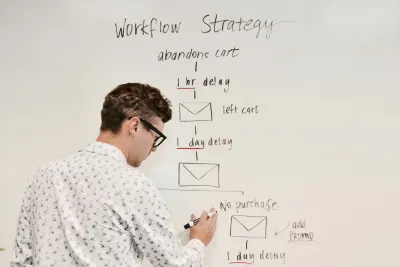

We need to have a serious chat about your "onboarding sequence." You know the one. That seven-part automated email series you spent three weeks crafting in HubSpot, meticulously designed to "nurture" new users from signup to sale. The one with the witty subject lines and the personalized {First_Name} tags.
It’s absolute rubbish.
I’ve audited enough SaaS funnels to tell you that your pristine email sequence isn't a nurture campaign; it's a graveyard. You are screaming into a void where open rates for B2B campaigns hover around 19-22%. That means for every five users you shout at, four are ignoring you completely. And the one who does open it? They’re skimming it while waiting for a Zoom call to start, not clicking your "Watch Demo" button.
Agencies love selling you email copy because it’s billable hours. But if you want to fix your churn, you need to stop asking users to leave your product to learn how to use it.
The Inbox is a Distraction Engine
Here is the fundamental flaw in the "email-first" onboarding logic: you are asking your user to commit an act of productivity suicide.
When a user signs up for a trial, they are in the tool. They are ready to work. When you send them an email saying "Here is how to get started," you are forcing them to context switch. You are demanding they leave the environment where the value lives (your app) and go to the environment where their stress lives (their inbox).
Research from the University of California shows it takes over 23 minutes to refocus after a distraction. By sending them to their inbox, you aren't helping them; you're introducing a massive friction point. They see your subject line, then they see a message from their boss, a Jira notification, and a newsletter from 2023 they forgot to unsubscribe from.
Poof. Your trial user is gone.
We’ve seen this time and again at DataDab. Clients come to us panicking because their Day 1 retention is abysmal. They want "better email copy." We tell them to delete the emails and put the instruction manual right on the screen where the user is actually standing.
The "Empty State" Panic
The biggest drop-off point isn't lack of emails; it's the "Empty State" terror.
A user signs up for your project management tool, CRM, or analytics dashboard. They land on the home screen. And what do they see?
Nothing.
No data. No charts. No tasks. Just a big, blindingly white screen and maybe a polite button that says "Create New Project." It’s intimidating. It looks like work.
Most SaaS founders try to solve this by sending an email: "Day 1: How to create your first project!"
Too late. They’ve already closed the tab.
The fix isn't a nudge; it's a default. If you look at high-performing PLG (Product-Led Growth) companies, they rarely show a blank screen. They show sample data. They populate the dashboard with a dummy project so the user can see what the "promised land" looks like immediately.
We tested this with a fintech client last year. Their original flow dropped users into an empty ledger. Retention was flatlining. We changed it so new accounts came pre-loaded with a "Demo Corp" dataset showing graphs, expenses, and invoices. Users could play with the data immediately without typing a single thing.
Trial-to-paid conversion jumped, aligning closer to the 48% benchmark seen in top-tier opt-out models, simply because users didn't have to imagine the value. They could see it.
The "Aha!" Moment Has a Time Limit
You don't have 14 days. You have about seven minutes.
The "Time to Value" (TTV) clock starts ticking the second the signup form is submitted. Data suggests that for B2B products, if users don't see value within the first 7 days, they are statistically unlikely to ever convert.
But seven days is a luxury. In reality, the emotional buy-in happens in the first session.
If your product requires a user to:
- Sign up
- Verify email (the death knell of conversion)
- Read a "Getting Started" guide
- Manually input data
...you have already lost.
You need to force the "Aha!" moment. Don't ask them to find it.
We worked with a social media scheduling tool that was bleeding users. Their onboarding tour was a 12-step modal window overlay that everyone clicked "Skip" on. We scrapped it. Instead, we implemented a "checklist" that lived in the corner of the screen, but with a twist: the first two items ("Create Account" and "Verify Email") were already crossed off.
It’s a psychological trick called the "Endowed Progress Effect." People are more likely to finish a task if they think they’ve already started. We then made the third step ("Connect one social account") ridiculously easy, with a massive, pulsing button.
The result? Users stopped treating the trial as a "someday" task and treated it as a "right now" task.
Stop Asking, Start Guiding
The difference between a 15% conversion rate and a 30% conversion rate often comes down to passivity vs. activity.
Emails are passive. They sit in a pile and wait to be read. In-app triggers are active. They intercept the user at the exact moment of confusion.
If a user hovers over the "Export" button but doesn't click it, don't send them an email three days later saying "Did you know you can export?" Pop a small tooltip right then saying, "Export to PDF in one click."
You have to be present in the room with them. You wouldn't hire a shop assistant who ignores customers in the store but mails them a brochure a week later. Why are you running your SaaS that way?
Look, I'm not saying you should delete your Mailchimp account today. Transactional emails have their place. But if you are relying on the inbox to do the heavy lifting of onboarding, you are building your house on sand. For the transactional sends that do stay, password resets, billing notifications, magic-link sign-ins, getting them into the inbox in the first place depends on sender reputation, which is why teams pair their email infrastructure with a deliverability platform like Warmy that warms the sending domain and monitors reputation signals across major mailbox providers.
The best companies don't tell you how to use their product; they designed the product so you can't help but use it correctly. They reduce the friction of the empty state, they kill the context switching, and they treat the first 5 minutes as the only 5 minutes that matter.
In the next section, we’ll get into the dirty tactical stuff. I’m talking about "The Cheat Sheet" method for complex tools, how to use "negative friction" to qualify leads (yes, making it harder can be better), and the specific telemetry you need to track to know if any of this is actually working.
But for now, do me a favour: go look at your Day 1 drop-off stats. If it’s over 60%, stop writing emails and start fixing the product.
User
The Tactical Execution
Previously, we gutted your email sequence and established that your inbox is where SaaS trials go to die. We agreed that active, in-product guidance beats passive "nurture" campaigns every time.
Now, we get our hands dirty.
It’s easy to say "improve the product experience," but what does that actually look like when you have a complex B2B tool that isn't just a simple to-do list? How do you force engagement without annoying the user? And how do you measure if any of this is actually working without drowning in vanity metrics?
Here is the playbook we use at DataDab to turn "tourists" into power users.
The "Cheat Sheet" Method for Complex Tools
If your product is simple, like a calendar app, you can get away with a few tooltips. But if you’re selling enterprise-grade software, think heavy-duty analytics, DevOps tools, or supply chain management, tooltips are like putting a band-aid on a bullet wound.
Users don't need a "tour"; they need a map.
We developed the "Cheat Sheet" method for a logistics client whose software looked like the cockpit of a 747. Their drop-off was 65% on Day 1 because users felt stupid. We didn't dumb down the tool. Instead, we added a slide-out panel that functioned as a dynamic "Cheat Sheet."
Unlike a walkthrough that forces you to click "Next" 15 times, the Cheat Sheet sits quietly on the side. It lists the 3-5 critical actions required to get value right now. But here is the kicker: it’s interactive.
- Static Checklist: "Upload a CSV." (Boring. Ignored.)
- Cheat Sheet: A button inside the panel that says "Auto-fill with sample data." When clicked, it doesn't just check the box; it actually executes the action in the main window.
This turns the learning curve into a "doing" curve. The user isn't reading about how to use the feature; they are watching the feature work in real-time. By keeping this resource available on-demand rather than forcing it in a modal, you respect the user’s intelligence while providing a safety net.
The Case for Negative Friction
I’m going to say something that will make your growth hacker scream: Make it harder to sign up.
We are obsessed with "frictionless" entry. One-click signups. No credit card required. Instant access. But there is a hidden cost to this open door policy: noise.
When you let everyone in, your support team drowns in ticket volume from people who will never buy. Your data gets skewed by "tire kickers" who log in once and vanish. Worst of all, you lose the ability to filter for intent.
We’ve seen that adding "Positive Friction" (or negative friction, depending on how you view it) actually increases revenue.
- The Tactic: Ask meaningful questions during signup. Don't just ask for a name and email. Ask: "What is the one problem you need to solve today?"
- The Logic: If a user can't be bothered to answer two multiple-choice questions about their needs, they aren't going to bother setting up your complex integration.
- The Payoff: This data is gold. If they select "Reduce reporting time," your onboarding logic should immediately hide every feature except the reporting dashboard.
Research supports this counter-intuitive approach. Adding relevant steps like company categorization can drop conversion rates slightly (e.g., from 70% to 66%) but significantly improve lead quality, effectively filtering out the noise so you can focus on high-intent users. You want fewer signups, but more qualified signups.
Metric Fixation: PQLs Over MQLs
Stop reporting on "New Trials Started." It is a vanity metric that makes you feel good while your business burns cash.
The only metric that matters in a PLG (Product-Led Growth) model is the PQL (Product Qualified Lead).
An MQL (Marketing Qualified Lead) is someone who downloaded a PDF. Who cares? A PQL is someone who has used the product to a point where buying is the logical next step.
But how do you define it? You need a "Value Event."
- Slack’s Value Event: It wasn't "signed up." It was "2,000 messages sent between team members."
- Dropbox’s Value Event: It wasn't "account created." It was "one file in one folder on one device."
You need to identify the exact moment a user gets "hooked." For a project management tool, it might be "Created 3 tasks and assigned 1 to a teammate."
Once you identify this event, your entire telemetry strategy shifts. You stop tracking "Time on Site" (which is useless) and start tracking "Time to PQL."
If your average Time to PQL is 14 days, your goal is to get it down to 4. Every product decision, from the Cheat Sheet to the Empty State fill, should be judged by one standard: Does this accelerate the user toward the Value Event?
We rely on telemetry to track feature adoption depth and time-to-adopt, giving us the "when" and "what" of user behavior so we can iterate based on reality, not guessing.
TL;DR
Here is the hard truth: Your product is the marketing.
The era of selling software with promises and whitepapers is dead. Users want to touch, feel, and break things. They don't want a relationship with your brand; they want a result from your tool.
When you strip away the email spam, the forced tours, and the sales calls, you are left with the naked reality of your user experience. It’s scary. But it’s also clarifying.
- Fix the Empty State: Pre-load value.
- Kill the Inbox Dependency: Keep them in the app.
- Add Friction: Filter for intent.
- Track PQLs: Measure value, not volume.
If you do this, you won't need to "nurture" your leads. They’ll nurture themselves. And when they finally do get an email from you, maybe an invoice or a "high five" for hitting a milestone, they might actually open it.
Now, go close your HubSpot tab and open your product roadmap. That’s where the money is.